TLDR
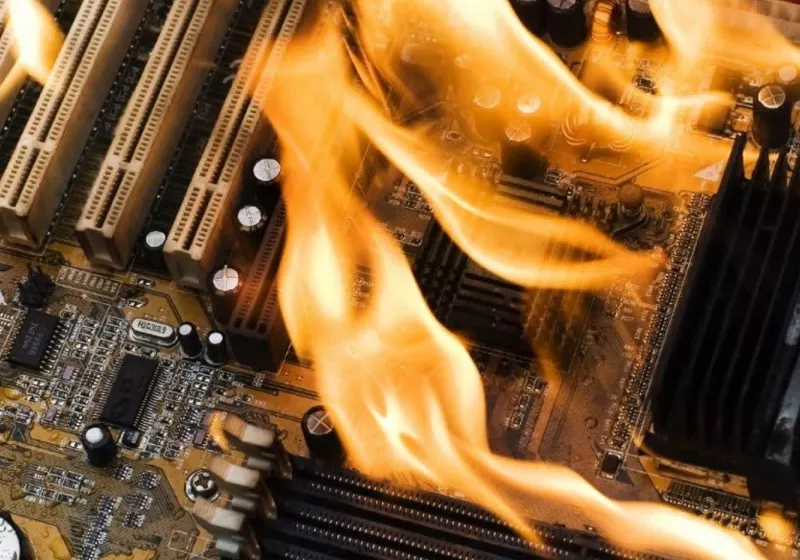
• Core Points: A streamer’s RTX 4090 reportedly caught fire during a live Twitch stream, prompting urgent safety guidance and responses from the community.
• Main Content: The incident underscores hardware overheating and fire risk in peak-load gaming setups, highlighting immediate shutdown and safety steps.
• Key Insights: Proper power management, strain on cooling systems, and immediate emergency procedures are critical when hardware shows signs of malfunction.
• Considerations: Risk factors include power supply quality, case airflow, and the GPU’s thermal load during long streaming sessions.
• Recommended Actions: If a device overheats or smells burnt, shut down immediately, unplug, and seek professional assessment before resuming use.
Content Overview
The online ecosystem for gaming and streaming often places high-performance hardware under intense, sustained load. This environment can push components to their limits, especially GPUs like NVIDIA’s RTX 4090 during long live sessions that combine gaming, streaming encoding, and peripheral workloads. In one notable incident captured on a Twitch stream, a streamer reported that their RTX 4090 “caught fire.” The moment was alarming for both the streamer and chat, triggering a cascade of questions and safety-oriented advice from viewers. The core message that emerged from this event is simple but critical: when a PC shows signs of hardware distress, the first and most prudent action is to shut it down immediately.
This article examines what happened, why such incidents can occur, and what steps streamers and PC enthusiasts should take to minimize risk. It also touches on broader implications for hardware safety, consumer awareness, and best practices for high-load streaming setups.
The incident occurred in a scenario where the streamer’s system was under heavy use, combining a demanding game with live encoding and streaming software. While the exact cause of the fire was not universally detailed across reports, the situation highlights a known risk vector: thermal runaway or electrical fault in high-power GPUs can escalate rapidly under sustained stress. The community response—from moderators, fellow gamers, and hardware experts—emphasized safety, urging viewers to avoid sensationalism and focus on concrete actions to prevent harm.
Key factors to consider include the quality and age of the power supply unit (PSU), the adequacy of system cooling (case fans, heatsinks, and thermal paste integrity), and the overall airflow within the PC chassis. Additionally, the physical connections, such as PCIe power connectors and cables, play a crucial role in maintaining stable operation under load. Any defect or poor contact can contribute to overheating or arcing, potentially leading to dangerous outcomes.
The broader takeaway is that high-performance gaming builds, especially those used for streaming, must be designed with robust cooling, reliable power delivery, and sensible safeguards. The Twitch incident serves as a cautionary tale about the real-world consequences of hardware failure and the importance of immediate action to protect people and property.
In-Depth Analysis
High-end GPUs like the RTX 4090 are engineered to deliver exceptional performance for gaming and ray tracing tasks, particularly when paired with efficient cooling and stable power delivery. However, when a system is pushed to its limits for extended periods—such as during live streams—thermal and electrical stress can accumulate. The RTX 4090 draws substantial power under gaming load, and when that load coincides with high encoding throughput for stream software, the combined demands can stress both the GPU and the power delivery subsystem of the PC.
A fire on a consumer PC, while relatively uncommon, is a known risk that hardware enthusiasts should treat with seriousness. Several mechanisms could contribute to such an event:
– Electrical faults: A fault in PCIe power delivery, a damaged connector, or degraded cables can create arcs or overheating hotspots.
– Thermal runaway: A GPU under sustained heavy computation can overheat if cooling is insufficient, leading to component degradation or failure.
– Cooling insufficiency: Inadequate case airflow, blocked vents, or poorly applied thermal interfaces can cause temperatures to spike dramatically.
– Aging or low-quality components: Deteriorated capacitors, PSUs with marginal protection, or inferior adapters may fail under load.
The streamer’s immediate response—attempting to continue while dealing with the emergency—raises questions about how best to handle such moments. The best practice in any hardware distress situation is to prioritize safety: power down the system, disconnect from the wall outlet, and evacuate the area if there is visible smoke or a burning odor. If a fire is detected, do not attempt to extinguish it with water; use a Class A, B, or C fire extinguisher suitable for electrical fires, or call emergency services if the situation worsens. After the incident, do not reuse affected hardware until it has been inspected by a qualified technician.
From a user experience and content perspective, live streams involving high-end hardware have particular risk implications. Streamers should consider protective steps, such as:
– Regular maintenance and inspection of power cables and connectors to ensure tight, undamaged connections.
– Verifying the PSU’s capacity with headroom for peak power draws and potential component upgrades.
– Ensuring robust case airflow: adequate intake and exhaust, clean filters, and thermal solutions designed for sustained loads.
– Implementing practical on-stream safety guidance for viewers and moderators so that, in case of distress, actions are clear and immediate.
Hardware manufacturers and retailers often provide safety advisories for high-performance components. Users should review documentation on thermal limits, recommended power supply specifications, and warranty coverage. In the event of a thermal or electrical failure, documenting the incident with as much detail as possible (timestamps, temperatures, system configuration, and any audible or visual warnings) can aid in diagnosing the root cause.
This incident also underscores the importance of redundancy and protection in a streaming setup. For example, a secondary power strip, surge protection, and a UPS (uninterruptible power supply) can help manage unexpected power fluctuations and offer a safe off-ramp rather than abrupt shutdowns. Moreover, having access to a fire-safe, non-conductive area and a plan to relocate equipment quickly can reduce risk to people and property if a component fails catastrophically.
The streaming community’s response emphasized emotion, concern, and collective problem-solving. Community members often share insights on best practices for GPU cooling, cable management, and system tuning, which can be valuable for others aiming to reduce risk in similar environments. However, it is essential to separate speculation from verified technical analysis. While some comments can provide helpful recommendations, others may rely on assumptions about the specific hardware configuration or the exact cause of the incident. Verified information from manufacturers or independent hardware testers should guide any corrective actions.

*圖片來源:Unsplash*
In the broader context of streaming culture, the event contributes to ongoing discussions about the balance between performance, reliability, and safety. Content creators who perform on live streams are increasingly mindful of the potential consequences of hardware failures, particularly when their audience is watching in real time. This awareness can drive improvements in pre-stream checks, hardware refresh cadences, and explicit safety protocols. It also underscores the need for better education around power quality, thermal management, and proper emergency responses within the community.
Looking ahead, several industry trends could influence how similar incidents are handled:
– Improved GPU and PSU protection: Modern power components increasingly feature reinforced protections against short circuits and thermal runaway, which can prevent or slow catastrophic failures.
– Smarter cooling solutions: Advanced fans, liquid cooling, and dynamic thermal management can help maintain safe temperatures under unpredictable workloads.
– Safety-focused streaming setups: Vendors may promote bundles or guidelines that emphasize safety features for content creators who push hardware to its limits during live broadcasts.
Researchers and testers may look into rare failure modes of high-power GPUs under streaming workloads. Documentation of real-world incidents is valuable, provided it is accurate and responsibly reported, to help the community learn without sensationalizing danger. The combination of user reports, manufacturer guidance, and independent testing can illuminate the root causes of such failures and inform safer design and usage practices.
Perspectives and Impact
The incident of a streamer’s RTX 4090 catching fire during a live broadcast has several potential implications for different groups within the tech community:
– Streamers and content creators: The event highlights the necessity of rigorous pre-stream checks, safe-rig configurations, and contingency plans for hardware issues. Content creators may adopt clearer emergency procedures and avoid attempting to troubleshoot on stream when devices overheat or emit unusual smells or sounds.
– Viewers and fans: For audiences, such incidents can be alarming but also educational. They witness firsthand the real risks associated with high-performance hardware, which can spur conversations about safety and responsible hardware usage. Moderation teams may also work to steer discussions toward constructive guidance rather than sensationalism.
– Hardware manufacturers and vendors: Manufacturers might respond by reinforcing safety features, offering guidance for streaming setups, and providing robust customer support for incidents involving thermal and electrical faults. This can include better packaging, more explicit warnings, and accessible diagnostic tools to quickly assess system health.
– System integrators and PC builders: The event can drive demand for safer, more reliable builds with emphasis on cable management, airflow optimization, and redundancy. Integrators may offer consulting services to help streamers design setups that reduce risk while maximizing performance.
From a safety and policy perspective, the incident underscores the need for clear guidelines in the community:
– Do not operate or troubleshoot a suspected malfunctioning PC on air. If a device shows signs of distress, pause the stream and move to a safe area.
– Ensure fire safety measures are in place, such as accessible extinguishers and clear evacuation routes.
– Maintain up-to-date backups and a plan to switch to a secondary system quickly if needed to avoid data loss or broadcast interruptions.
Future implications extend to ongoing education about power quality and system reliability. As gaming and streaming hardware continues to evolve—particularly with more powerful GPUs, AI-assisted streaming features, and higher bitrate demands—the importance of robust, safe engineering practices increases. Ongoing collaboration between enthusiasts, manufacturers, and safety organizations can help produce safer setups that meet the needs of live content creators without compromising safety.
Key Takeaways
Main Points:
– A streamer reported an RTX 4090 catching fire during a live Twitch session, highlighting real-world hardware safety concerns.
– Immediate safety action—shut down and unplug—remains the recommended response to suspected hardware distress.
– Proper cooling, reliable power delivery, and preventive maintenance are critical in high-load streaming setups.
Areas of Concern:
– Potential electrical faults or degraded components contributing to failure.
– Inadequate cooling or airflow in the PC chassis under sustained heavy load.
– The risk of attempting to troubleshoot on stream, which can delay urgent safety actions.
Summary and Recommendations
The Twitch incident involving a high-end RTX 4090 emphasizes that even flagship hardware is not invincible under prolonged, heavy use. The most important lesson for streamers and PC enthusiasts is the primacy of safety: when in doubt, power down immediately, disconnect, and move to a safe area if the hardware shows signs of distress such as unusual smells, smoke, or visible heat. After such an event, do not reuse the affected components without professional inspection.
To mitigate future risks and improve safety for streaming setups, consider the following concrete steps:
– Audit power delivery: Ensure your PSU has ample headroom for peak loads, including simultaneous gaming and encoding tasks, and verify that all PCIe power connectors are undamaged and firmly seated.
– Improve cooling and airflow: Optimize case airflow with sufficient intake and exhaust, clean filters, and consider upgrading cooling solutions if temperatures approach unsafe levels during long sessions.
– Implement safety protocols: Create a clear, posted emergency plan for streams, including immediate shutdown procedures, and have a fire extinguisher readily accessible in a safe location.
– Use redundancy and protection: Consider a UPS or surge protection device to manage power irregularities and provide a controlled shutdown path if needed.
– Document and learn: After incidents, document configurations, temperatures, and any warning signs to help diagnose root causes and prevent recurrence.
While rare, hardware fires are serious events that demand prompt action and responsible handling. The streaming community, manufacturers, and hardware experts all share the responsibility of improving safety practices, sharing verified information, and supporting users in building reliable, safe, and high-performance streaming rigs.
References
- Original: https://www.techspot.com/news/111148-streamer-rtx-4090-catches-fire-while-live-twitch.html
- Additional sources on hardware safety and high-performance PC cooling:
- https://www.nvidia.com/en-us/geforce/forums/
- https://home.howstuffworks.com/home-improvement/safety/prepare-fire-md.htm
- https://www.computerworld.com/article/3518710/why-pcs-overheat.html

*圖片來源:Unsplash*