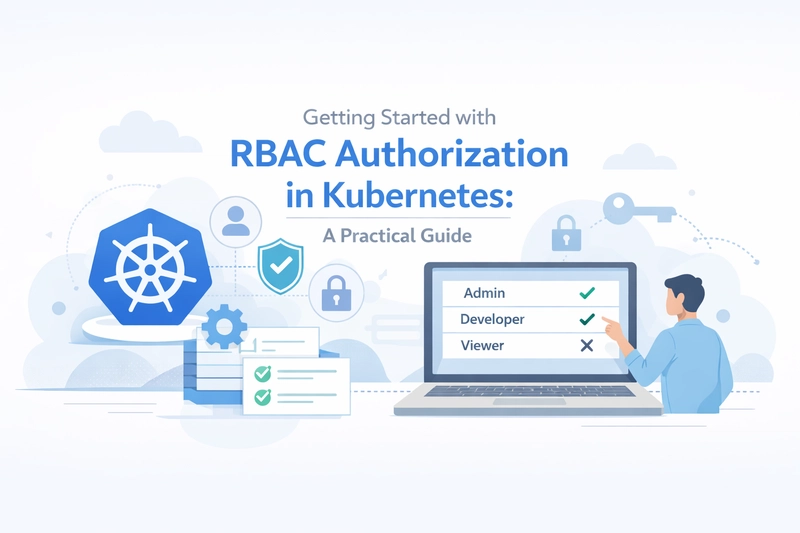
TLDR
• Core Points: Role-Based Access Control (RBAC) governs who can do what in a Kubernetes cluster, crucial for on-prem environments to prevent accidental or malicious actions.
• Main Content: This guide explains RBAC concepts, practical setup steps, common patterns, and best practices to secure production clusters.
• Key Insights: Fine-grained permissions, least-privilege principle, and ongoing auditing are essential for safe cluster operation.
• Considerations: Align RBAC with organizational roles, manage service accounts, and plan for scale and rotation.
• Recommended Actions: Define roles and bindings, implement least privilege, automate policy reviews, and monitor RBAC activity.
Content Overview
Managing an on-premises Kubernetes cluster requires careful control over who can perform which actions. Without proper access control, it is easy for developers or operators to inadvertently delete pods, modify critical resources, or disrupt production workloads. RBAC, or Role-Based Access Control, provides a structured framework to restrict permissions and assign them to users, groups, or service accounts. This article offers a practical, step-by-step approach to understanding and implementing RBAC in an on-prem Kubernetes environment, along with best practices for maintaining security as your cluster evolves.
RBAC in Kubernetes is built on three core concepts: subjects, verbs, and resources. Subjects are the entities that request actions (users, groups, or service accounts). Verbs specify actions (such as get, list, create, update, delete). Resources refer to the Kubernetes objects to be acted upon (pods, deployments, services, configmaps, etc.). By combining these elements, cluster administrators can precisely define who can perform which actions on which objects, under what conditions.
Before diving into the mechanics, it’s important to establish governance. Decide who owns access management, how access requests are reviewed, and how changes are approved. On-prem environments often involve additional compliance requirements and stricter review processes, so building a robust RBAC strategy from the start reduces potential risk and makes auditing easier later.
In-Depth Analysis
RBAC in Kubernetes operates through a layered set of authorization resources: Roles, ClusterRoles, RoleBindings, and ClusterRoleBindings.
Roles and ClusterRoles: A Role defines a set of permissions within a namespace, while a ClusterRole defines permissions cluster-wide. Permissions are expressed as policy rules, each specifying an API group, a resource, and the verbs allowed (e.g., get, list, watch, create, update, patch, delete). ClusterRoles can be used across all namespaces and can be bound to multiple subjects through bindings.
RoleBindings and ClusterRoleBindings: A RoleBinding grants the permissions defined in a Role to a subject within a specific namespace. A ClusterRoleBinding does the same at the cluster level, granting permissions defined in a ClusterRole to a subject across the entire cluster. Subjects can be users, groups, or service accounts; service accounts are particularly important for workloads running inside the cluster.
A typical RBAC workflow includes:
1) Define the required permissions: Identify the operations users or services must perform. Keep a tight scope to minimize risk.
2) Create Roles or ClusterRoles: Translate permissions into RBAC resources.
3) Bind Roles or ClusterRoles to subjects: Use RoleBindings or ClusterRoleBindings to assign permissions.
4) Validate and monitor: Ensure the bindings work as intended and audit changes over time.
Practical patterns to consider:
– Least privilege: Grant only the permissions necessary for a job or role. For example, a developer might have read access to deployments and services in a namespace but not permissions to delete critical components.
– Service accounts for workloads: Run applications with dedicated service accounts that have narrowly scoped permissions. Rotate secrets and credentials as needed.
– Namespace segmentation: Use separate namespaces for development, staging, and production, and apply RBAC policies that reflect the different access needs of each environment.
– Separate duties: Distinguish between developers, operators, and security teams. Operators may need broader permissions to manage resources, while developers should have restricted access.
– Use aggregated roles when appropriate: Kubernetes supports grouping common permissions into a single ClusterRole that can be reused across multiple namespaces or subjects.
Implementation steps for a practical on-prem setup:
1) Assess risk and plan roles: List critical resources (pods, deployments, namespaces, Secrets, configmaps) and determine who should access them and with what actions.
2) Enable RBAC in your cluster: Most modern Kubernetes distributions enable RBAC by default, but verify the authorization mode is set to RBAC.
3) Create a baseline set of Roles and ClusterRoles: Start with a conservative baseline, such as read-only access for most users and elevated access only for administrators.
4) Create RoleBindings and ClusterRoleBindings: Bind the defined roles to the appropriate subjects (users, groups, service accounts) in the correct namespaces or at the cluster level.
5) Implement automation and policy as code: Store RBAC definitions in version control and apply them through CI/CD pipelines or GitOps workflows to ensure consistency and traceability.
6) Enforce auditing and monitoring: Enable audit logging to track access events, and regularly review bindings for drift or excessive permissions.
Common pitfalls to avoid:
– Over-permissive roles: Granting permissions like delete or patch broadly can lead to accidental disruption. Use deny-by-default strategies whenever possible.
– Inadequate separation of duties: A single user or service account with broad permissions increases risk if credentials are compromised.
– Poor rotation and management of service accounts: Service accounts that outlive their usefulness or lack rotation policies can become security liabilities.
– Neglecting namespace boundaries: Applying cluster-wide permissions where a namespace-scoped approach would suffice can create unnecessary exposure.
Best practices for maintainability:
– Version control RBAC configurations: Treat them as code; review, approve, and track changes.
– Regular access reviews: Periodically verify that each subject’s permissions align with their current role.
– Automate least privilege enforcement: Use automation to detect and remediate over-privileged bindings.
– Use labels and annotations: Organize RBAC resources for easier auditing and management.
– Integrate with external identity providers: When possible, map internal users to external identities (e.g., LDAP, Active Directory, OIDC) and manage groups centrally.

*圖片來源:Unsplash*
Advanced topics:
– Implicit vs explicit permissions: Be mindful of additional permissions that may be granted via ClusterRoles inherited by multiple bindings.
– Self-subject access review: Kubernetes supports checking whether a user can perform a given action; use this for testing RBAC policies.
– Immutable infrastructure patterns: Pair RBAC with infrastructure-as-code practices to ensure reproducible and auditable access controls.
– Policy engines: Consider integrating policy engines (e.g., Open Policy Agent) for dynamic admission control to complement RBAC.
Perspectives and Impact
Implementing RBAC in Kubernetes has broad implications for security, reliability, and operational efficiency. On the security front, RBAC enforces the principle of least privilege, reducing the attack surface by limiting what each subject can do. This is particularly important in on-prem environments where access controls may be more manually enforced and where regulatory or organizational compliance demands stricter governance.
From an reliability standpoint, well-defined RBAC helps prevent accidental disruptions. By restricting who can delete pods, scale deployments, or modify network policies, teams can reduce the likelihood of cascading failures caused by human error. It also clarifies ownership and responsibilities, making incident response more straightforward because actions can be traced back to specific roles and bindings.
Operationally, RBAC aligns with modern DevOps practices by supporting automation and infrastructure-as-code workflows. RBAC policies can be versioned, tested, and deployed alongside application manifests, enabling faster onboarding of new developers and smoother promotion of workloads through environments. However, the on-prem context adds considerations such as integration with local identity systems, adherence to internal change-control processes, and the need for robust auditing to satisfy internal or external audits.
Looking ahead, evolving RBAC capabilities and related security tooling can further enhance Kubernetes governance. As clusters scale and teams grow, automated remediation for drift, more dynamic policy enforcement, and improved visibility into access patterns will become increasingly important. The future of RBAC in Kubernetes is closely tied to broader identity and access management (IAM) trends, including stronger authentication, granular authorization, and tighter integration with enterprise security ecosystems.
Key Takeaways
Main Points:
– RBAC provides fine-grained control over who can perform what actions in Kubernetes, critical for on-prem clusters.
– Roles, ClusterRoles, RoleBindings, and ClusterRoleBindings form the core RBAC mechanism.
– Adopting least-privilege, service accounts, and namespace segmentation enhances security and manageability.
Areas of Concern:
– Over-permissive bindings can lead to accidental or intentional misuse.
– Inadequate reviews and drift in permissions over time increase risk.
– Managing RBAC at scale in on-prem environments requires disciplined automation and governance.
Summary and Recommendations
RBAC is a foundational security control for Kubernetes, especially in on-prem deployments where control and compliance considerations are paramount. By carefully defining roles, binding them to the appropriate subjects, and embracing a culture of least privilege, organizations can significantly reduce the risk of accidental disruptions and unauthorized access while maintaining agility for developers and operators.
To implement RBAC effectively:
– Start with a clear plan outlining required permissions for each role and environment.
– Use namespace-based segmentation to limit blast radius and simplify management.
– Create service accounts for workloads with narrowly scoped permissions, and avoid assigning broad cluster-wide privileges unless absolutely necessary.
– Treat RBAC definitions as code: version them, review changes, and deploy via automated pipelines.
– Establish ongoing auditing, reviews, and automated drift detection to maintain alignment with evolving security needs.
With thoughtful design and disciplined operations, RBAC can provide robust, auditable, and scalable access control that supports secure, reliable Kubernetes operations in on-prem environments.
References
- Original: https://dev.to/bkrajendra/getting-started-with-rbac-authorization-in-kubernetes-a-practical-guide-3ln4
- Additional references:
- Kubernetes RBAC: Official Documentation on RBAC
- Open Policy Agent (OPA) and Gatekeeper for policy-based admission control
- Kubernetes Security Best Practices whitepaper or equivalent enterprise security guides

*圖片來源:Unsplash*