TLDR
• Core Points: A web-based AI Timeline Maker converts text, notes, and documents into clean, structured visual timelines, addressing the friction of manual, rigid, or slow timeline tools.
• Main Content: The tool streamlines turning diverse content sources into cohesive timelines, offering an AI-assisted workflow that saves time and improves consistency.
• Key Insights: Automating timeline creation reduces manual effort, enhances readability, and allows for flexible customization while preserving accuracy.
• Considerations: The approach depends on the quality of input data, requires clear labeling of events, and hinges on the AI’s ability to extract relevant dates and milestones accurately.
• Recommended Actions: Explore AI Timeline Maker for project roadmaps, corporate histories, and historical overviews; supplement with manual review to ensure precision where needed.
Content Overview
Timelines are a common way to organize information—from project roadmaps to company histories and historical syntheses. Yet traditional timeline tools often demand extensive manual input, impose rigid structures, or become time-consuming when dealing with large volumes of content. The core challenge is that the user typically already possesses the source material—text, notes, documents—but transforming that material into a polished, navigable timeline requires significant effort.
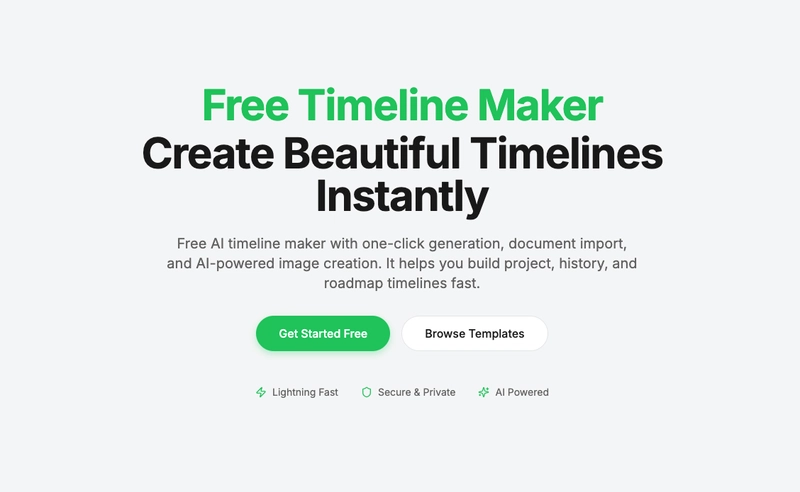
To address this gap, the AI Timeline Maker was developed as a web-based solution designed to transform text and document content into clean, structured visual timelines with minimal friction. The motivation behind the project was straightforward: accelerate the timeline creation process without sacrificing accuracy or readability, making it feasible to produce timelines that are both informative and aesthetically accessible.
The tool integrates artificial intelligence capabilities to parse and extract salient events, dates, milestones, and other relevant metadata from disparate sources. It then organizes these elements into a coherent sequence, assigns appropriate categories or themes, and presents them in a visual timeline format. The end result is a timeline that reflects the substance of the source material while offering an intuitive user experience.
This article outlines the rationale for building the AI Timeline Maker, describes its core features, discusses potential use cases, and considers the broader implications of AI-assisted timeline generation. It also presents practical guidance for users who want to leverage the tool effectively, including tips on data preparation, verification, and customization.
In-Depth Analysis
The genesis of AI Timeline Maker rests on a practical observation about workflow bottlenecks. When teams assemble project roadmaps, document corporate histories, or compile historical overviews, they often contend with multiple content formats—narrative documents, meeting notes, PDFs, slide decks, and more. Each source may describe events with varying levels of detail, dates may appear in different formats, and milestones may be embedded in prose rather than in a clearly labeled list. Traditional timeline tools tend to require users to manually extract and input events, map dates, and sequence items, which can be tedious and error-prone. The result is a tool that feels cumbersome, slows momentum, and discourages iterative refinement.
AI Timeline Maker aims to reduce or even eliminate much of this manual labor by leveraging natural language processing, information extraction, and structured data generation. The workflow typically begins with the ingestion of source content—text blocks, documents, notes, or transcribed content. The AI analyzes the material to identify time-bound events, milestones, and key decisions. It then normalizes dates, resolves ambiguities, and categorizes events into thematic strands (for example, product launches, funding rounds, or regulatory milestones). The extracted content is organized in chronological order and mapped onto a visual timeline. The result is not merely a line of dates but a narrative framework that readers can scan for the sequence of events and the relationships between them.
Key design considerations influence how the tool operates in practice. Data quality is foundational: the accuracy of the timeline depends on the reliability of input material and the AI’s extraction capabilities. Ambiguities—such as vague time references, relative dates (e.g., “early 2020”), or events described in external terms—require careful handling. The tool should offer prompts or nudges to clarify uncertainties or request user confirmation when dates are unclear. Another design factor is the level of automation versus user control. While automation accelerates timeline creation, users often want to tailor the output. This includes adjusting date granularity, choosing which event types to display, harmonizing the visual theme with branding, and annotating events with contextual notes or sources.
The user experience should emphasize accessibility and readability. Visual timelines need to convey chronological order clearly while supporting quick scanning. This means readable typography, consistent color-coding for event categories, and succinct event labels. The ability to filter, search, and zoom into specific periods or event clusters enhances usefulness, particularly for long timelines that cover extensive timespans. The tool should also support export options—images, vector graphics, or interactive web timelines—that can be embedded in reports, dashboards, or internal documentation.
Beyond technical implementation, the AI Timeline Maker has strategic implications for teams and organizations. It lowers barriers to documenting knowledge and sharing it across stakeholders. A well-constructed timeline can illuminate project milestones, reveal historical trajectories, or illustrate how certain decisions influenced outcomes. For organizations with frequent reporting needs, such a tool can standardize how information is presented, improving consistency and comparability across different timelines. It can also serve as a living document, allowing updates as new information becomes available, which is particularly valuable in iterative planning or ongoing archival projects.
Nevertheless, several considerations warrant attention. First, the quality of the output hinges on data preparation. Users should ensure input sources are as clean as possible, with clear date references where feasible and well-defined event boundaries. Second, there is a need for ongoing validation. AI systems can misinterpret dates, merge distinct events, or overlook nuanced relationships. Built-in verification prompts, human-in-the-loop review options, and transparent provenance (showing which source passages informed each event) can mitigate these risks. Third, privacy and security matter when working with sensitive documents. Access controls, data encryption, and local processing options can help address concerns about exposing confidential information.
From a product perspective, the AI Timeline Maker represents a shift toward AI-assisted knowledge organization. It embodies the broader trend of transforming unstructured content into structured, actionable outputs. In the context of project management, it can streamline roadmapping and milestone tracking. In corporate history or case-study work, it can assemble a coherent narrative that preserves essential dates and milestones while offering researchers a clear view of progression and causality. In education or public history projects, such a tool can help lay audiences understand complex sequences and historical developments more effectively.
As AI continues to advance, the capabilities of timeline generation are likely to improve in several directions. Enhanced multilingual support could enable timelines drawn from sources in multiple languages. More sophisticated entity recognition could better distinguish between similarly named events and resolve ambiguous dates. Improved visual design options could provide greater flexibility in presenting information, including adaptive layouts that optimize readability for different devices. Additionally, tighter integration with document management and collaboration platforms could enable teams to generate timelines directly from shared workspaces and automatically incorporate updates as documents evolve.
Practical guidance for potential users includes several actionable steps. Start with clear objectives: define the scope of the timeline (e.g., a five-year product roadmap or a corporate history spanning decades) and determine the desired level of detail. Gather representative source materials and organize them in a central repository. Use the AI Timeline Maker to extract events, then review and edit the automatically generated timeline to correct any inaccuracies or ambiguities. Customize the timeline’s appearance to align with branding or report aesthetics, and ensure there are mechanisms to track sources for each event to maintain traceability. Finally, consider deploying the tool as part of a broader knowledge management workflow, enabling consistent documentation and easier onboarding for new team members who must understand historical contexts or project trajectories.
In summary, AI Timeline Maker addresses a clear pain point in content-to-timeline workflows by automating the extraction, organization, and visualization of events from diverse sources. It aims to deliver clean, structured timelines with a balance of automation and user control, improving readability and efficiency. While the technology holds promise, its effectiveness depends on input quality, thoughtful curation, and ongoing verification to maintain accuracy and usefulness. As organizations continue to digitize and document more of their activities, AI-assisted timeline creation is likely to become an increasingly valuable component of modern knowledge work.

*圖片來源:Unsplash*
Perspectives and Impact
The development of AI Timeline Maker sits at the intersection of content management, data visualization, and AI-assisted productivity. Its potential impact spans multiple domains:
Project Management: Teams can rapidly convert meeting notes, planning documents, and milestone lists into visual roadmaps. This supports better stakeholder alignment, progress monitoring, and scenario planning. A dynamic timeline can illustrate dependencies, critical paths, and risk factors in a way that textual documents cannot.
Knowledge Capture and Retention: Organizations with long or complex histories—such as startups evolving into established enterprises or institutions documenting milestones across decades—benefit from a consistent, accessible narrative that preserves dates and sequence. Visual timelines can serve as teaching tools, onboarding resources, or archival references.
Research and Education: Historians, journalists, and educators can compile event sequences from multiple sources, enabling readers to grasp chronology and causality more intuitively. Timelines can also facilitate comparative analyses across periods or subjects.
Accessibility and Communication: Visual timelines can improve information accessibility for diverse audiences, including those who prefer visual summaries over dense prose. Clear chronology supports quicker comprehension and retention.
Data Availability and Quality: The success of AI Timeline Maker depends on the availability of well-structured input data and the accuracy of automated extraction. As AI capabilities mature, the tool can handle more complex narratives, resolve ambiguities with confidence, and offer richer contextual annotations.
Looking ahead, several developments could enhance the tool’s impact:
Improved Contextual Understanding: Better natural language understanding could enable the AI to identify implicit milestones, causal connections, and recurring themes that might not be explicitly labeled as events.
Customizable Taxonomies: Users could define customized event categories, tagging schemes, and metadata schemas that align with their industries or project types.
Collaboration and Versioning: Real-time collaboration, version history, and change tracking would support team workflows where multiple contributors curate timelines.
Integrations: Seamless connections with document repositories, project management platforms, and data sources would streamline intake and reduce duplication of effort.
Privacy and Compliance: Enhanced controls for sensitive information, auditing capabilities, and compliance features will be essential for enterprise deployments.
Key Takeaways
Main Points:
– AI Timeline Maker converts text and documents into structured visual timelines, reducing manual effort.
– The tool focuses on extracting events, dates, and milestones and organizing them in a readable, customizable timeline.
– Practical use cases include project roadmaps, corporate histories, and historical overviews, with an emphasis on data quality and user verification.
Areas of Concern:
– Output accuracy depends on input data quality and effective handling of ambiguous dates.
– Over-reliance on automation without human review can propagate errors.
– Privacy and security considerations are important when processing sensitive content.
Summary and Recommendations
AI Timeline Maker represents a practical solution to a common inefficiency in knowledge work: converting diverse textual sources into clean, navigable timelines. By automating the extraction and organization of events, the tool can save time, improve consistency, and make complex sequences easier to understand. However, to maximize value, users should prepare input data thoughtfully, anticipate ambiguity, and incorporate a verification step to ensure accuracy. When integrated into a broader knowledge management workflow, this tool can serve as a reliable engine for generating timelines that inform planning, communication, and retrospective analysis.
If you’re considering adopting AI Timeline Maker, start with a scoped pilot in a single domain—such as a project roadmap or a compact historical overview—to gauge the quality of output and interaction with your data. Use the opportunity to establish best practices for data preparation, categorization, and provenance tracking. As accuracy improves and feature sets expand (including better handling of multilingual sources, richer visual customization, and deeper integrations), the tool has the potential to become a standard component of modern, AI-assisted documentation and storytelling.
References
- Original: https://dev.to/digiplan_pro_52d07cbd0f1a/i-built-an-ai-timeline-maker-to-turn-text-and-documents-into-visual-timelines-2cae
- [Add 2-3 relevant reference links based on article content]

*圖片來源:Unsplash*