TLDR
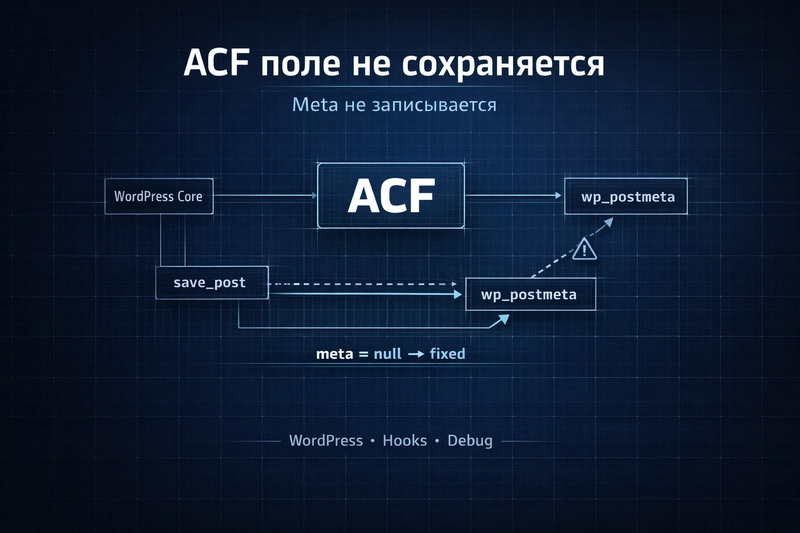
• Core Points: ACF fields may appear in admin, but after update, get_field() returns null or empty; the postmeta is written but conflicts with hooks can cause silent failures.
• Main Content: A practical approach resolves saving issues by ensuring meta is written to wp_postmeta and by mitigating hook conflicts during save.
• Key Insights: Debugging save routines, handling autosave/revision, and using MU-plugins or dedicated save_post checks improves reliability.
• Considerations: WordPress hook order, autosave timing, and proper sanitization are essential to avoid race conditions.
• Recommended Actions: Implement a robust save safeguard (ACF Save Debug MU-plugin), verify autosave/revision handling, and test with conflicting hooks disabled.
Product Specifications & Ratings (Product Reviews Only)
N/A
Content Overview
WordPress sites employing Advanced Custom Fields (ACF) can experience a perplexing issue: ACF fields are visible and editable in the admin interface, but after pressing Update, the values vanish. In such cases, get_field() returns null or an empty string. The typical underlying problem is that despite the database row in wp_postmeta being updated, the retrieval logic is sabotaged by interaction with actions and filters tied to the save process. This guide outlines a structured approach to diagnose and fix the problem so that meta is reliably written and retrieved, and ACF values survive hook conflicts.
This discussion builds on practical snippets and patterns such as ACF Save Debug (a must-use plugin), a save_post hook with autosave/revision checks, and strategies to ensure post meta persistence even in the presence of complex WordPress save lifecycles.
In-Depth Analysis
Background and symptoms
– ACF is a popular field-management plugin for WordPress that stores field values in the post meta table (wp_postmeta). Users expect that after updating a post, get_field(‘your_field’) would return the newly saved value on subsequent requests.
– In some scenarios, particularly on sites with custom or complex plugin ecosystems, the admin UI shows the updated value, but after page reload, the value is missing. This manifests as get_field() returning null or an empty string.
Possible root causes
– Conflict with save hooks: Other plugins or custom code can hook into save_post and alter post meta inadvertently, or reset it after ACF writes it.
– Autosave/revision interference: WordPress autosave and post revisions can create edge cases where meta is updated in one pass but read in another, of a different revision or context.
– Multiple write paths: If there are multiple code paths that write meta (e.g., legacy update handlers, custom save routines), they can override or reset ACF data unexpectedly.
– Incorrect field keys or post_id handling: In some cases, the ACF field is saved for a post_id that isn’t the current one, or a mismatch occurs between field keys and meta keys.
– Nonces and permission checks: Some code paths prevent proper saving due to nonce failures or permission discrepancies.
Strategies to fix and harden the save process
1) Add explicit save debugging
– Use an ACF Save Debug MU-plugin or equivalent debugging mechanism to log the save process. This helps identify whether ACF is actually writing to the database and where the value is getting lost. The MU-plugin pattern ensures the debugging code runs early in the WordPress lifecycle.
– Log key events: when save_post fires, when ACF writes meta, and when subsequent reads occur. Compare the values in the database with what get_field() returns.
2) Validate the save_post flow with autosave and revision checks
– Implement a save_post handler that explicitly checks for autosave and revision contexts. If the current request is an autosave or a revision update, skip or delay certain operations to avoid racing conditions.
– When not autosaving or revising, ensure the ACF fields are saved, then verify immediately that get_field() returns the expected value after a full load (pre-fetch the value via get_post_meta or ACF’s get_field with the correct post_id).
3) Ensure a single, reliable write path
– Centralize meta writes for ACF fields to a single, predictable code path. If multiple plugins alter post meta, you risk inconsistent states. Create a wrapper function that writes ACF data and logs outcomes, then use that wrapper for all updates involving the affected fields.
– If you must support multiple save paths (e.g., front-end forms and admin), ensure both paths write to the same meta keys and post_id.
4) Harmonize post_id usage
– ACF stores data against a specific post_id, typically the current post’s ID. Ensure that the post_id used during save matches the ID used during retrieval. If a mismatch exists (e.g., saving via a REST API or during a loop), the data could be saved under a different meta key or overwritten.
5) Audit third-party interactions
– Review active plugins and custom code that hook into save_post, after_save_post, or wp_insert_post. Temporarily disable potential culprits to observe whether the issue resolves.
– Pay attention to code that performs meta updates outside ACF, especially in admin screens or meta boxes.
6) Correct sanitization and data handling
– Ensure that field data is properly validated and sanitized before saving. Bad data or transformations can cause retrieval quirks or appear as though the field was not saved.
– Confirm that the field keys/names used in ACF match those expected by get_field() and by the underlying meta storage.
7) Preserve compatibility with revisions
– When using revision history, it’s important that the correct revision’s data is loaded. If you save values and then revert, you may observe unexpected values. Tests should cover saving, loading, and reverting to confirm consistency.

*圖片來源:Unsplash*
8) Test with minimal viable setup
– Create a stripped-down environment (default theme, no extra plugins) to reproduce the issue. If the problem disappears, reintroduce components one by one to identify the interfering piece.
9) Documentation and ongoing monitoring
– Document the code paths involved in saving ACF fields and the decisions around autosave/revision handling.
– Implement ongoing monitoring to catch regressions, including occasional manual checks and automated tests if possible.
Practical steps to implement
– Install or enable an ACF Save Debug MU-plugin to capture detailed logs of save_post events, autosave checks, and the actual write operations.
– Add a save_post hook that performs explicit validation:
– If doing autosave or a revision, exit early or set a flag to re-run after autosave completes.
– After ACF saves, fetch the value using get_post_meta and compare it to the expected value. If mismatch, log a diagnostic message and consider forcing a write.
– Introduce a single point of write for targeted ACF fields:
– Create a function acf_safe_update_meta($post_id, $field_key, $value) that updates post meta and logs results.
– Use this function for all updates related to the field group in question.
– Regularly test with field groups that use complex field types (e.g., repeater, flexible content) since those are more prone to unusual save interactions.
– Validate post_id consistency across front-end forms, REST API usage, and admin screens to prevent cross-context data losses.
Expected outcomes
– After implementing a robust save flow and debugging, the ACF fields will reliably persist in wp_postmeta, and get_field() will consistently return the correct values after a save.
– Conflicts with other hooks will be mitigated by ensuring the save order and by using a centralized, well-logged write path.
Perspectives and Impact
The reliability of ACF field storage is fundamental for content integrity in WordPress. When save operations are disrupted by competing code paths or timing issues, data becomes difficult to trust. The recommended approach emphasizes observability (via debugging hooks and logs), disciplined write paths, and careful handling of autosave and revisions. This is not only about fixing a single symptom but about building resilience against a wide range of integration scenarios.
In practice, many sites under heavy customization—multisite setups, complex plugins, and custom admin UIs—are susceptible to such issues. The strategies outlined help developers isolate the root cause, implement a robust saving strategy, and maintain consistent behavior across updates and site expansions.
Future implications include:
– A taxonomy of common save conflicts and their fixes for ACF-enhanced sites.
– Reusable debugging and safety patterns that can be shared across teams.
– Improved testing practices around WordPress save flows, including autosave/revision interactions.
Key Takeaways
Main Points:
– ACF fields may save to the database but appear lost due to downstream read/write conflicts.
– A centralized, well-logged save path reduces inconsistency and race conditions.
– Autosave and revision handling must be explicitly accounted for to avoid false negatives on save.
Areas of Concern:
– Multiple code paths writing to the same meta can cause data drift.
– Inadequate debugging can mask the root cause, delaying a fix.
– Overly aggressive or misplaced save hooks can destabilize content updates.
Summary and Recommendations
To address the issue of ACF fields not persisting in post meta, implement a structured debugging and saving strategy. Start with an ACF Save Debug MU-plugin to observe the save lifecycle, then introduce a centralized write function to ensure consistent updates to wp_postmeta. Add save_post logic that discriminates autosave and revision contexts, and verify post_id consistency across all save paths. By combining observability, centralized writes, and careful handling of autosave/revisions, you can transform intermittent, hard-to-trace behavior into predictable, reliable field storage. Regular testing, especially in environments with multiple plugins and custom code, is essential to maintain stability as the site evolves.
References
- Original: https://dev.to/vproger/wordpress-acf-polie-nie-sokhraniaietsia-chinim-zapis-meta-2d9l
- Additional references:
- Understanding WordPress autosave and revisions: WordPress Codex / Developer Resources
- Advanced Custom Fields documentation: ACF Save and Field Types
- Debugging WordPress: Debugging plugins and logging strategies for save hooks

*圖片來源:Unsplash*