TLDR
• Core Points: An IT worker attempted to damage an SSD with a drill, but the effort failed and highlighted hardware resilience and data recovery considerations.
• Main Content: The incident underscores why physically destroying drives is more complex than it appears and how modern storage technology can complicate even simple sabotage attempts.
• Key Insights: Drills can damage drives, yet SSDs and enclosure designs may resist catastrophic data loss; recovery methods and safety concerns remain central.
• Considerations: Proper data sanitization should rely on proven methods beyond improvised physical destruction. Risk of injury and environmental harm must be considered.
• Recommended Actions: Follow certified data destruction procedures; consult professionals for secure erasure; don’t rely on DIY drilling as a sole method.
Content Overview
In the increasingly digital world, data security and device disposal have become important topics for individuals and organizations alike. The use of power tools to physically destroy storage devices has a long history in the realm of data sanitization. Historically, traditional mechanical hard drives (HDDs) have contained spinning platters that store data magnetically. When these platters are perforated or shattered, data recovery becomes extremely difficult, if not impossible, especially after the drive’s protective housings are compromised. The broader question—whether similar physical destruction strategies work against solid-state drives (SSDs)—has also drawn attention as SSDs have become more prevalent in enterprise and consumer devices.
This article revisits a widely circulated incident in which an IT worker attempted to destroy an SSD using a drill and ended up failing in a dramatic fashion. While such demonstrations can capture public interest, they also raise important questions about the effectiveness of DIY destruction methods, the variability of storage technologies, and best practices for data sanitization and device disposal. The event serves as a case study for discussing how SSDs differ from HDDs, what factors influence the success or failure of physical destruction, and why professional data erasure processes remain essential.
In-Depth Analysis
The core concept behind physically destroying a storage device is straightforward: if the data stored on the device is not recoverable, the device can no longer be used to retrieve sensitive information. Traditional HDDs rely on magnetic storage across multiple platters. Damaging the platters—or even the read/write heads and the enclosure—can disrupt the magnetic domains that encode data, thereby hindering recovery efforts. In many cases, drilling holes through or punching holes in HDD casings is enough to compromise the integrity of the magnetic surface, especially if the drive’s internal seals and protective layers are breached. The effectiveness of such methods depends on the extent of damage, the location of the damage, and the remaining integrity of any data recovery pathways.
SSDs, however, operate on a different principle. Instead of magnetic platters, SSDs store data in flash memory cells. The chips are typically mounted on circuit boards within a rigid enclosure, and the drive includes controllers, firmware, and various forms of data management such as wear leveling and error correction. Because data on flash memory is distributed across many cells and managed by wear leveling algorithms, the impact of physical damage can vary significantly. In some circumstances, particularly when the drive’s controller or firmware region is damaged, data could become unrecoverable. Yet there are scenarios where data might still be recoverable through specialized techniques, or where only portions of the data are affected while other data remains accessible. This complexity means that a DIY approach—such as drilling—does not guarantee data destruction on an SSD.
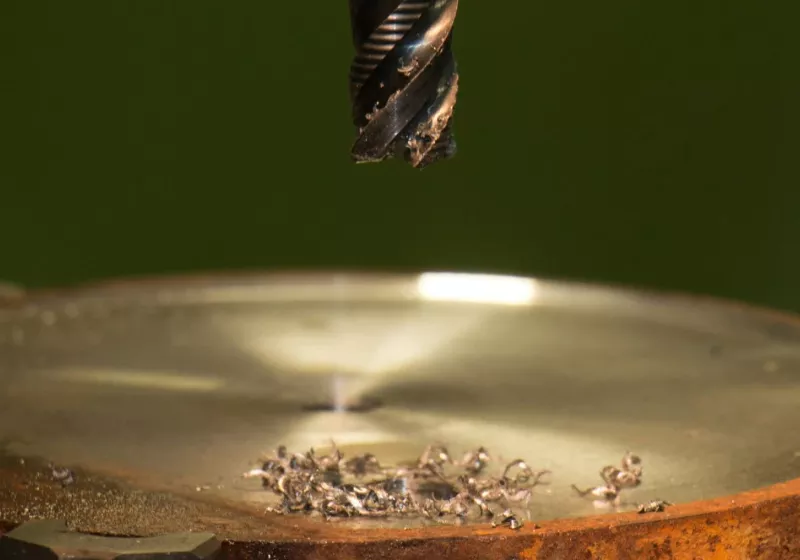
The specific incident in question involved an IT worker attempting to destroy an SSD with a drill. Reports from the event indicate that the drill did not achieve the intended outcome, and the effort did not successfully render the SSD unusable or the data unrecoverable in a straightforward manner. The worker’s method illustrates a broader point: while mechanical disruption can damage devices, SSDs have internal architectures and protective enclosures that may mitigate or complicate immediate destruction. The case also underscores a potential mismatch between public perception of “drill through the device equals data destroyed” and the nuanced reality of modern storage technology.
Beyond the technical aspects, there are practical considerations and safety concerns. Drilling into electronic devices can pose risks to the operator, including flying debris and exposure to battery components, capacitors, and other hazardous materials. Proper safety protocols, including eye protection, containment, and appropriate disposal of hazardous waste, are essential when dealing with discarded electronics. Additionally, even when physical destruction is performed correctly, it does not always guarantee compliance with data protection standards. Organizations may require certified data sanitization procedures to meet regulatory or contractual obligations.
The incident also prompts discussion about data sanitization standards and best practices. The most reliable methods for ensuring data destruction on SSDs typically involve a combination of software-based data erasure (where supported by the device and firmware) and physical destruction of the drive in a controlled, standards-compliant environment. Certifications and standards, such as NIST guidelines on media sanitization or other industry-specific requirements, provide frameworks for ensuring that data is irrecoverable. In some cases, degaussing—effective for magnetic media—does not apply to SSDs. For SSDs, destruction of the flash memory dice or the entire drive assembly, under proper procedures, is often necessary.
The broader takeaway is the importance of choosing appropriate data sanitization methods based on the type of storage medium, the sensitivity of the data, and the applicable regulatory requirements. DIY destruction attempts, while sometimes sensational, are not reliable or recommended as a sole method for ensuring data security. Instead, organizations and individuals should rely on established practices that combine technology-assisted erasure with certified physical destruction when required.
Perspectives and Impact
The public fascination with dramatic attempts to destroy data storage devices reflects a broader anxiety about data security and privacy. As the world becomes more data-centric, the consequences of mismanaging sensitive information can be severe, including legal liabilities, financial penalties, and harm to individuals. The incident in question serves as a reminder that modern SSDs, while vulnerable in some respects, are engineered to protect data and resist simplistic destruction methods.

*圖片來源:Unsplash*
From an industry perspective, the episode highlights the need for clear guidelines on data sanitization that cover a range of storage technologies. Hardware manufacturers, data security professionals, and compliance officers must collaborate to establish and adhere to best practices. This includes education about the differences between HDDs and SSDs, the limitations of DIY erasure techniques, and the sequencing of steps required to achieve verifiable data destruction. It also underscores the importance of secure disposal channels and certified partners who can provide documentation demonstrating that data sanitization has been performed in accordance with relevant standards.
Another dimension involves the environmental and safety considerations of destroying electronic devices. Drilling into batteries, circuit boards, and other components can release hazardous materials and create waste that requires proper handling and disposal. Responsible e-waste practices emphasize recycling and safe disposal of electronic devices, reducing environmental impact while ensuring that data sanitization tasks are completed to the required standards.
In the context of professional practice, incidents like this can inform training and policy development. IT professionals and data custodians should be educated about the limitations of physical destruction, the importance of layered security measures, and the appropriate use of erasure software and physical destruction services. Organizations may implement internal policies that specify the sequence of steps for data sanitization, the roles responsible for performing and overseeing the process, and the documentation required to demonstrate compliance.
From a future-looking perspective, evolving storage technologies may introduce new challenges and opportunities in data destruction. Advances in SSD architectures, encryption at rest, and secure erase commands are likely to influence how organizations approach data sanitization in the coming years. Encryption can add a layer of protection, making data inaccessible even if someone gains physical access to the device. However, encrypted data also necessitates careful handling to ensure that the encryption keys themselves are securely destroyed or inaccessible. The ongoing development of hardware-based secure erase features could provide more robust means of sanitization, potentially reducing the reliance on physical destruction for certain scenarios.
Key Takeaways
Main Points:
– Physical destruction of storage devices is a complex topic, with outcomes differing between HDDs and SSDs.
– DIY destruction attempts, such as drilling, may not reliably render data unrecoverable on modern SSDs.
– Certified data destruction practices, combining software erasure and physical destruction when required, offer verifiable results.
Areas of Concern:
– Safety risks associated with drilling into electronic devices and handling hazardous components.
– Environmental impact and proper e-waste disposal practices.
– Overreliance on physical destruction without understanding device-specific sanitization requirements.
Summary and Recommendations
The incident involving an IT worker who attempted to destroy an SSD with a drill and failed spectacularly serves as an instructive example of the limitations of DIY data destruction. While HDDs can often be rendered unreadable by damaging the platters and seals, SSDs present a more resilient and complex target due to their distributed flash memory and controller logic. Consequently, a simple drilling approach may not guarantee complete data destruction. The episode underscores the importance of following established data sanitization protocols, which typically involve a layered approach: use of device- and organization-appropriate erasure software to sanitize data in place and, when necessary or required by policy, physical destruction performed by certified professionals using validated methods and documentation. Safety and environmental considerations must accompany all disposal activities, including proper handling of hazardous materials and responsible recycling practices.
In practical terms, organizations and individuals should:
– Prioritize data sanitization methods aligned with the storage technology in use (HDD vs. SSD) and the sensitivity of the information.
– Employ certified data destruction services when documented proof of sanitization is required.
– Use software-based erasure methods compatible with the device and firmware, followed by physical destruction if mandated by policy or regulation.
– Ensure compliance with relevant standards and maintain records of the destruction process for accountability and auditing purposes.
– Embrace education and training to prevent reliance on sensational but unreliable DIY methods and to promote safe, compliant disposal practices.
By adopting these practices, stakeholders can better balance the goals of data security, regulatory compliance, environmental stewardship, and personal or organizational safety.
References
- Original: https://www.techspot.com/news/111355-worker-drill-fails-destroy-ssd-viral-mishap.html
- Additional references:
- NIST Special Publication 800-88 Rev. 1: Guidelines for Media Sanitization
- ENISA: Data Sanitization and Device Disposal Best Practices
- SANS Institute: Data Destruction and Sanitization Standards and Practices

*圖片來源:Unsplash*