TLDR
• Core Points: Elgato unveils the Stream Deck + XL, a larger variant of the Stream Deck XL with a touch strip and control dials, alongside new audio accessories to enhance livestream sound.
• Main Content: The Stream Deck + XL augments the already expansive macro-pad lineup, adding tactile and visual controls aimed at streamers and desk users, complemented by complementary audio gear for better sound management.
• Key Insights: The addition of a touch strip and rotary dials broadens on-device control, potentially simplifying workflow during live streams and video production.
• Considerations: The expanded hardware footprint may affect desk space, and pricing alongside software ecosystem compatibility will influence adoption.
• Recommended Actions: Evaluate whether the Stream Deck + XL fits your setup, consider space and workflow needs, and pair with new audio accessories for a more integrated streaming setup.
Content Overview
Elgato continues to push the boundaries of the macro-pad category that many livestreamers and power desk users have embraced. Following a wave of announcements about new Stream Deck devices last year, the company kicks off 2026 with the Stream Deck + XL. This new model sits atop the Stream Deck family, combining the familiar array of customizable LCD keys with a larger physical footprint, a touch strip, and mechanical or tactile dials to offer more nuanced control during broadcasts, recordings, and content creation sessions. In addition to hardware refinements, Elgato introduces a suite of new audio accessories designed to streamline sound mixing both on and off stream, addressing a major pain point for many users: balancing voice, music, sound effects, and alerts in real time.
The Stream Deck + XL is described as a logical evolution of the Stream Deck ecosystem. It keeps the core premise—programmable buttons loaded with icons and actions that can be triggered with a single press—but extends the interface in meaningful ways. The touch strip adds a dynamic, context-sensitive input surface, while the dials provide tactile, precise control over essential parameters like volume, balance, and audio effects. These enhancements are intended to shorten the time spent navigating software during live production, enabling creators to keep their attention on the content and audience.
While the hardware remains the focal point, the broader strategy is clear: Elgato wants to offer a more comprehensive control hub for content creators. The Stream Deck + XL is positioned as a versatile tool not just for streaming, but for any workflow that benefits from rapid, programmable control surfaces. The new audio accessories are marketed as complements that can be integrated into existing setups, helping creators achieve cleaner, more professional soundscapes without juggling multiple devices.
This article synthesizes the official announcements and context around the Stream Deck + XL and the accompanying audio accessories, examining how the added input modalities could influence live production workflows and the broader implications for Elgato’s product ecosystem.
In-Depth Analysis
The Stream Deck line has long been a staple for livestreamers seeking to streamline production tasks with macro-like shortcuts. Each physical key on a Stream Deck can be mapped to applications, scenes, audio effects, chat commands, or any action that software supports. The original concept has proven remarkably adaptable, from managing OBS scenes to launching titles, muting microphones, inserting overlays, or triggering soundboards. Elgato’s continued expansion reflects both the demand for more expansive physical control and the desire to keep the hardware relevant as streaming software evolves.
The Stream Deck + XL introduces several notable enhancements over the existing lineup. First, it increases the real estate of programmable keys, which itself raises the number of customizable actions a user can run simultaneously. This is particularly beneficial for multi-task workflows, where a streamer or content creator may need to switch between scenes, audio cues, and chat commands with minimal hand movement. The expanded surface area reduces the need to overlap actions or reuse keys for different tasks under time pressure.
Second, the addition of a touch strip broadens the input modalities beyond traditional button presses. A touch strip provides a fluid, continuous input region that can be mapped to functions requiring fine-grained control, such as scrub-based navigation in video editing software, scrolling through lists, or adjusting parameters with variable increments. Depending on software integration, a touch strip can become a versatile substitute for a physical knob or a lane for linear control, enabling more intuitive adjustments in real time.
Third, the introduction of dials supplies tactile, rotational control that complements the digital nature of the keys. Rotary controls are well-suited for parameters that benefit from precise, incremental changes, like audio level adjustments, pan, or effect parameters within a live mix. The physical feedback offered by dials can improve accuracy and reduce the cognitive load during production, where every millisecond matters for timing and balance.
Beyond hardware, Elgato’s strategy embraces an ecosystem approach. The Stream Deck + XL sits alongside a family of devices designed to interoperate through software profiles, plug-ins, and unified management. This coordination allows creators to customize not just a single workflow but an entire studio setup with consistent control semantics, reducing the friction of switching between different tasks and applications. The accompanying audio accessories are crafted to integrate smoothly with live sound management, providing options to manage voice levels, background music, and effects within the same control surface framework.
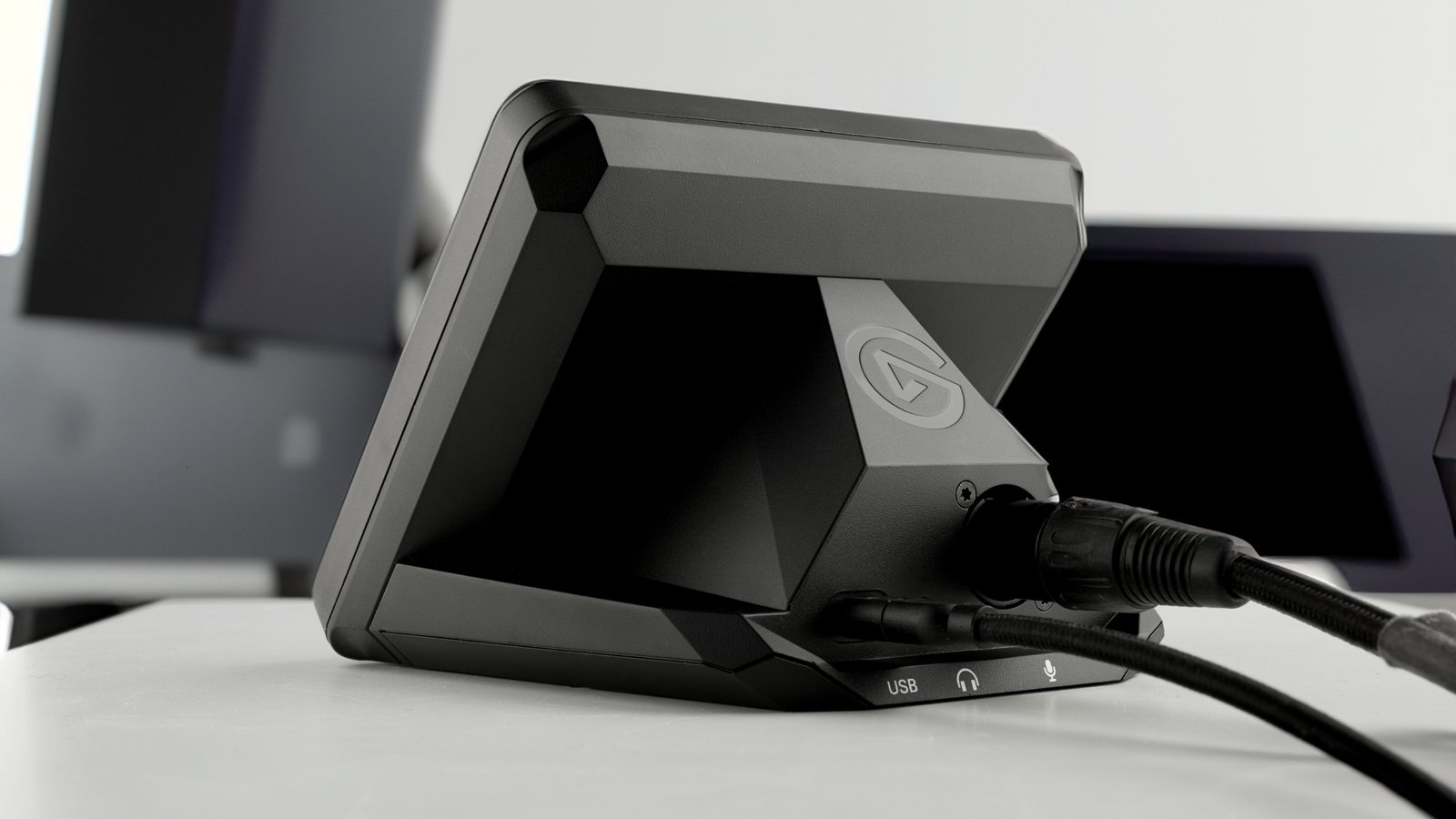
From a practical perspective, the Stream Deck + XL’s larger size means a larger desk footprint. Users with constrained workspace may need to evaluate their setup to ensure the device fits comfortably while still allowing easy access to other peripherals. Power requirements and USB-C connectivity align with the broader Stream Deck family, but the exact ports, hub capabilities, and integration steps will influence how easily users can adopt the device into their current configurations. Software compatibility remains a central consideration; Stream Deck devices rely on Elgato’s software suite and third-party plug-ins, which means ongoing updates and ecosystem support are critical to realizing the full potential of the new hardware.
The audio accessories introduced alongside the Stream Deck + XL address a common bottleneck for many streamers: achieving clean, balanced sound in dynamic environments. These products are designed to aid in real-time mixing, enabling better control over voice levels, game or music audio, and ambient sound. When combined with the Stream Deck’s physical controls, creators can accomplish more with less on-screen juggling, letting them focus on delivering engaging content rather than fiddling with software alone.
From a market perspective, Elgato’s continued expansion reinforces the growing demand for dedicated control surfaces in both streaming and content production contexts. The company’s devices have found favor not only with streamers but with multi-user workstations, educators, and event organizers who benefit from centralized, programmable control. The Stream Deck + XL, along with the new audio tools, positions Elgato to meet diverse needs—from single-host streams to collaborative productions requiring streamlined, repeatable workflows.
Of course, as with any hardware refresh, the success of the Stream Deck + XL will hinge on adoption factors beyond hardware capability. Pricing will influence whether seasoned creators and newcomers alike view the device as a compelling investment. Software support, including intuitive setup processes, robust plug-in ecosystems, and reliable driver support, will determine how quickly users can realize the benefits of the expanded control surface. In addition, the degree to which the touch strip and dials are actively leveraged in common streaming and editing workflows will shape long-term satisfaction and the perceived value of the product.
Looking ahead, the Stream Deck + XL could catalyze a broader conversation about the role of physical control in digital workflows. As creators demand faster, more reliable ways to manage content, audio, and scene transitions, hardware like this can reduce cognitive load and help build more immersive experiences for audiences. The integration of tactile dials and a touch strip with a larger key array may inspire developers to design new plugins and software features that exploit these input modalities, potentially driving a new wave of workflow optimizations for live production.

*圖片來源:Unsplash*
Perspectives and Impact
The Stream Deck + XL signals a broader trend toward blending expanded tactile controls with traditional macro-pads. For creators who juggle multiple software tools during a livestream, the ability to map a larger grid of keys to commands, while accessing a touch-sensitive strip and rotaries, can shave precious seconds off routine tasks. In live production, timing matters; the right key press, dial turn, or touch gesture can make the difference between a smooth transition and a momentary hiccup on air. The streamlining effect is not merely about convenience—it’s about reliability under pressure. When creators can trust their control surface to deliver predictable, repeatable results, they can maintain better pacing, deliver clearer audio, and respond more nimbly to audience interactions.
The added touch strip may be particularly transformative for editors and live technicians who need quick scrubbing or navigational controls within video timelines or software interfaces. It offers an optional, continuous input that can be configured for various editing actions, potentially reducing reliance on a mouse or trackpad. The dials, meanwhile, offer precise, repeatable adjustments that can be invaluable for on-the-fly audio mixing or visual effects parameter tweaks. The combination of these inputs with a large array of programmable keys gives users a versatile, multi-dimensional control surface.
In terms of the broader ecosystem, Elgato’s approach reinforces the value of a cohesive hardware-software strategy. Users who invest in Stream Deck devices typically build out highly customized workflows that rely on a rich set of plug-ins and integrations. The Stream Deck + XL’s success will depend in part on how well software developers respond with new or updated profiles, actions, and automation templates that leverage the new input modalities. A robust plugin ecosystem can extend the utility of the hardware well beyond its initial feature set, enabling specialized configurations for gaming, podcasting, music production, education, and remote work.
Community feedback will also shape the device’s evolution. Power users often push the boundaries of what a control surface can do, testing unique workflows that transcend standard streaming scenarios. Their insights can drive firmware updates, documentation improvements, and new feature requests. As with previous Stream Deck devices, Elgato’s responsiveness to community needs may be a critical factor in sustaining momentum and ensuring long-term relevance.
For professionals who operate in broadcast-like environments or multi-camera productions, the Stream Deck + XL could serve as a central hub for control across devices and software. In educational settings, it may help instructors manage presentations, demonstrations, and interactive lessons with greater precision and efficiency. In corporate environments, teams that rely on rapid task switching and process automation may find a more ergonomic and scalable method to handle routine workflows.
Ethically, there are no obvious red flags with this hardware refresh. It continues a trend of enhancing user agency through programmable hardware. However, as the device becomes more capable, potential concerns could include over-reliance on macros at the expense of on-camera improvisation or the possibility of diminishing returns if the software becomes overly complex. Users should balance the benefits of expanded controls with the need to maintain a straightforward, maintainable setup.
From a sustainability perspective, consumers may consider the lifecycle of these devices, including repairability, spare parts availability, and replacement timelines. As with several tech accessories, product longevity and serviceability will influence overall value and environmental impact. If Elgato offers robust support and durable hardware design, the Stream Deck family could remain a staple in creator workflows for years.
Key Takeaways
Main Points:
– Elgato introduces the Stream Deck + XL, a larger variant featuring a touch strip and dials for enhanced control.
– The device expands the Stream Deck ecosystem, combining more physical inputs with a sizable grid of programmable keys.
– New audio accessories accompany the launch to improve real-time sound mixing in livestreams and recordings.
Areas of Concern:
– The larger form factor may demand more desk space and could be less suitable for compact setups.
– Adoption depends on pricing, software support, and the breadth of compatible plug-ins and profiles.
– The learning curve for leveraging touch strip and rotary controls may vary among users.
Summary and Recommendations
The Stream Deck + XL represents a meaningful expansion of Elgato’s macro-pad concept, adding a touch strip and rotary dials to a larger button array while aligning with a broader set of audio accessories. For creators who crave expanded on-device control to streamline live production, this device offers tangible workflow benefits, particularly in high-pressure streaming contexts where quick access to scenes, audio, and effects matters. The combination of increased key real estate, a touch strip, and dials can help reduce on-screen interaction, allowing for more focused presentation and audience engagement.
Pros:
– Expanded input modalities (touch strip and dials) complement a large grid of programmable keys.
– Potential improvements in live audio control and scene management.
– Integrated ecosystem approach with compatible audio accessories and software profiles.
Cons:
– Larger footprint may not suit all desk configurations.
– Success depends on software ecosystem, plugin availability, and perceived value relative to price.
– Some users may prefer simpler setups over a more feature-rich, potentially more complex device.
Recommendation:
If your workflow benefits from a larger surface with multiple input types and you have adequate desk space, the Stream Deck + XL is worth considering, especially if you often juggle multiple streams, scenes, and audio elements. Pairing it with Elgato’s new audio accessories could yield a more cohesive control environment, enabling cleaner sound management and faster production transitions. Prospective buyers should assess their space, budget, and current software integrations to determine whether the Stream Deck + XL aligns with their long-term creative goals.
References
- Original: https://www.engadget.com/computing/elgatos-stream-deck–xl-adds-a-touch-strip-and-dials-to-an-already-massive-array-of-buttons-195200129.html?src=rss
- Additional context on Stream Deck ecosystems and usage:
- https://www.elgato.com/en-us/gaming/stream-deck
- https://www.engadget.com/streams-deck-review-2019-121254457.html
- https://www.theverge.com/2024/stream-deck-review

*圖片來源:Unsplash*