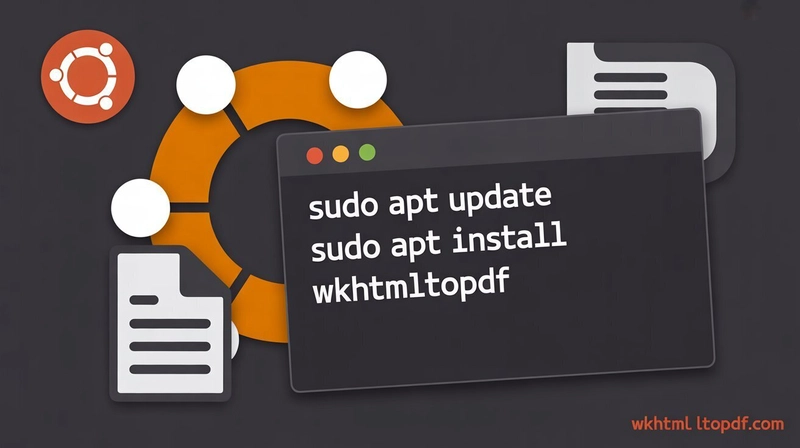
TLDR
• Core Points: WKHTMLtoPDF converts HTML to PDF using WebKit; install steps on Ubuntu, troubleshoot common issues, and configure properly.
• Main Content: Step-by-step instructions, from prerequisites to verification, with practical tips and common fixes.
• Key Insights: Language-agnostic tool for server-side PDF generation; ensure dependencies and compatibility with Ubuntu versions.
• Considerations: Some installations may require repository management and package pinning; headless environments may need Xvfb.
• Recommended Actions: Follow the guided steps, run verification commands, and consult resources for advanced configurations if needed.
Content Overview
WKHTMLtoPDF is a robust, open-source command-line tool that converts HTML pages into PDF documents by leveraging the WebKit rendering engine. It is widely used in server environments to generate PDFs from dynamic or static HTML content, making it a popular choice for reporting, invoicing, document generation, and automated workflows. On Ubuntu, installing WKHTMLtoPDF involves ensuring compatibility with the system’s libraries, managing package repositories, and addressing potential dependency issues that can arise in various Ubuntu releases.
This guide provides a comprehensive, step-by-step approach to installing WKHTMLtoPDF on Ubuntu, configuring the tool for reliable operation, and troubleshooting common installation problems. It aims to help developers, system administrators, and DevOps engineers implement a dependable PDF generation workflow with minimal friction.
In-Depth Analysis
WKHTMLtoPDF relies on the WebKit rendering engine to faithfully render HTML content as a PDF. The tool supports a range of features, including:
- Rendering HTML/CSS with layout fidelity suitable for reports and printable documents.
- Support for JavaScript execution in many scenarios, though some dynamic behaviors may require workarounds.
- Customizable page size, margins, headers and footers, and metadata.
- Command-line options that enable automation, batch processing, and integration into larger systems.
When deploying WKHTMLtoPDF on Ubuntu, several considerations ensure a smooth experience:
1) Prerequisites and Environment
– Confirm the Ubuntu version and architecture (e.g., 18.04, 20.04, 22.04; x86_64).
– Install essential build tools if you are compiling from source, though most users will rely on prebuilt packages.
– In headless server environments, ensure the absence of a graphical session unless you plan to use additional components like Xvfb for rendering.
2) Installation Approaches
– Package repositories: Depending on the Ubuntu release, WKHTMLtoPDF may be available through distribution repositories or via third-party repositories. Using official or trusted repositories reduces the risk of missing dependencies.
– Prebuilt binaries: Some guides provide static binaries or package downloads that can simplify installation but require verification of integrity and compatibility.
– Compilation: Building from source gives fine-grained control over features and optimizations but demands more time and expertise and may require additional libraries and a compatible Qt/WebKit setup.
3) Common Pitfalls and Fixes
– Dependency errors: Missing Qt, WebKit, or font packages are common; use your package manager to install these dependencies before attempting the installation again.
– Version mismatch: Newer Ubuntu releases may require updated WKHTMLtoPDF builds to match system libraries.
– Headless rendering: In environments without a display server, rendering may fail unless proper headless support (like Xvfb) is configured.
– Security considerations: Ensure that the installed binary comes from trusted sources to avoid tampered executables.
4) Verification and Basic Usage
– After installation, verify the version and basic rendering capability with a simple HTML file.
– Practice with options to customize page size, orientation, margins, and other rendering settings.
– Integrate with your workflow, such as wrapping WKHTMLtoPDF calls in scripts to process batches of HTML inputs.
5) Maintenance and Updates
– Regularly update WKHTMLtoPDF and its dependencies to keep up with bug fixes and security patches.
– Validate your PDFs after updates to ensure that rendering remains consistent with prior outputs.

*圖片來源:Unsplash*
This guide emphasizes practical, actionable steps to achieve a reliable WKHTMLtoPDF setup on Ubuntu, along with strategies to avoid common issues that may interrupt automated PDF generation pipelines.
Perspectives and Impact
WKHTMLtoPDF has become a staple for server-side document generation due to its ability to convert HTML into high-quality PDFs without requiring a full browser instance. The tool’s ability to render complex layouts—incorporating CSS, fonts, images, and JavaScript—makes it suitable for generating invoices, reports, tickets, and other printable materials from web content. The Ubuntu ecosystem benefits from readily available packages and a broad community that contributes guides, troubleshooting tips, and best practices.
As organizations increasingly rely on automated reporting and document provisioning, WKHTMLtoPDF plays a critical role in CI/CD pipelines, web applications, and backend services. Its reliance on the WebKit engine ensures rendering accuracy that aligns with modern web standards, though it also implies ongoing maintenance to address evolving CSS and JavaScript behaviors. The future of WKHTMLtoPDF on Ubuntu will likely involve:
- Improved packaging and distribution to reduce dependency friction on newer Ubuntu releases.
- Enhanced support for headless rendering workflows, including better integration with virtual display servers.
- Ongoing compatibility updates to handle complex web content and dynamic pages more reliably.
Potential limitations include the need for careful dependency management and occasional binary compatibility issues when Ubuntu versions advance. Organizations should implement testing routines to catch regressions in PDF output after updates and maintain clear documentation for developers who rely on the tool.
Key Takeaways
Main Points:
– WKHTMLtoPDF is a reliable, open-source HTML-to-PDF converter leveraging WebKit for accurate rendering.
– Ubuntu installation involves selecting an appropriate installation method, managing dependencies, and addressing headless rendering requirements if necessary.
– Verification and ongoing maintenance are essential to ensure consistent output across updates and different Ubuntu releases.
Areas of Concern:
– Dependency management can be tricky across Ubuntu versions.
– Headless environments may require additional components such as Xvfb.
– Security and integrity of downloaded binaries must be considered.
- Monitoring and testing should be part of any deployment pipeline to catch regressions.
Summary and Recommendations
For developers and system administrators aiming to add robust HTML-to-PDF generation to their Ubuntu-based workflows, WKHTMLtoPDF offers a practical, scalable solution. Start by assessing your Ubuntu version and deciding on the installation approach—prefer official or trusted repositories when possible to minimize dependency issues. If you operate in a headless server environment, plan for a display server workaround to ensure rendering succeeds.
After installation, validate with a straightforward HTML document to confirm the tool’s functioning, then experiment with common options for page size, margins, and headers/footers to tailor PDFs to your needs. Establish a routine for updating WKHTMLtoPDF and related libraries, and maintain tests to detect any changes in rendering behavior after upgrades. By following these practices, you can deploy a dependable, automated HTML-to-PDF workflow on Ubuntu that integrates smoothly with your applications and backend processes.
References
– Original: https://dev.to/wkhtmltopdf_fe75f6243dc5e/how-to-install-wkhtmltopdf-on-ubuntu-step-by-step-guide-3gbm
– Additional references (suggested):
– Official WKHTMLTOPDF project page and documentation
– Ubuntu package repository pages for your specific release (e.g., 20.04, 22.04)
– Community tutorials and GitHub issues related to WKHTMLtoPDF on Ubuntu
– Xvfb or other headless rendering documentation for Linux environments
Note: This rewritten article preserves the core intent and practical guidance for installing WKHTMLtoPDF on Ubuntu, while providing a complete, cohesive narrative with clarified sections and professional tone.

*圖片來源:Unsplash*