TLDR
• Core Points: Rufus enhances pre-format cleanup of partitions, improves SSD detection with long IDs, and fixes several bugs, preserving its speed and lightweight footprint.
• Main Content: The popular bootable USB creator Rufus delivers more reliable partition cleanup, better SSD recognition, and essential bug fixes while maintaining performance.
• Key Insights: Improvements focus on partition hygiene and hardware ID handling to support diverse drives and configurations without bloating the tool.
• Considerations: Users should ensure they’re running the latest version to benefit from these fixes, especially when working with SSDs and long device IDs.
• Recommended Actions: Update Rufus, verify drive detection after formatting, and report any remaining issues to the development team.
Product Specifications & Ratings (Product Reviews Only)
N/A
Content Overview
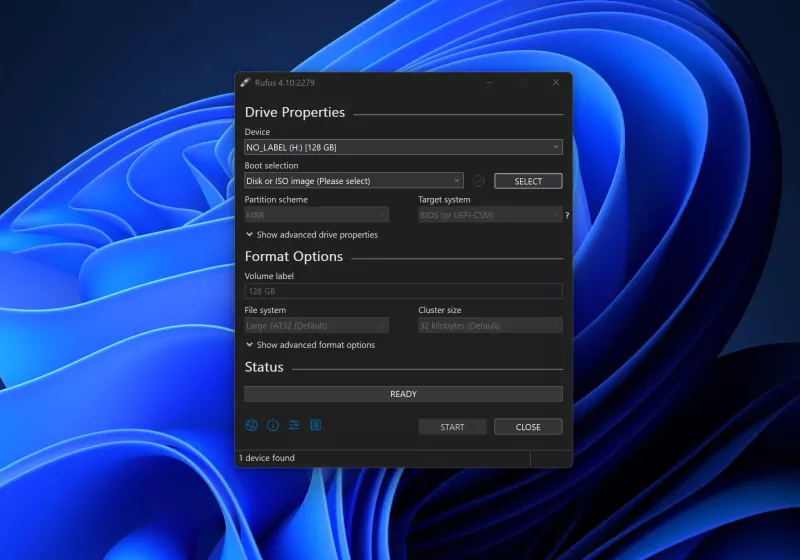
Rufus has long been regarded as one of the simplest and most reliable utilities for creating bootable USB drives. The software is celebrated for its speed, minimalistic footprint, and straightforward interface, which makes it a favorite among IT professionals, enthusiasts, and casual users alike. In its latest iteration, Rufus introduces a series of refinements aimed at improving reliability and compatibility across a wider range of storage devices. The key updates include more thorough partition cleanup before formatting, enhanced SSD detection when confronted with long device IDs, and a set of bug fixes that address both minor and, occasionally, more disruptive issues. The ongoing praise from longtime users underscores Rufus’s reputation as a fast, lightweight tool that gets the job done with efficiency and accuracy.
Rufus remains committed to delivering a practical solution for creating bootable media, supporting a variety of ISO formats and operating systems. By streamlining the partitioning process and improving hardware recognition, Rufus helps reduce common roadblocks encountered when preparing USB installation media. This article summarizes the latest improvements, the rationale behind them, and their implications for users who rely on Rufus for routine or occasional disk preparation tasks.
In-Depth Analysis
The core advancement in the latest Rufus release centers on how the software handles partitions during the bootable drive creation workflow. Previously, under certain conditions, partition cleanup could be incomplete or inconsistent, which might lead to unexpected formatting results or issues when a user attempted to boot from the prepared USB device. The new approach emphasizes more robust cleanup routines prior to formatting. By ensuring that residual partitions and stray metadata are more reliably removed, Rufus reduces the risk of conflicts or misinterpretations by the target computer’s firmware during boot.
In addition to improved partition hygiene, Rufus expands its SSD detection capabilities, particularly in scenarios involving long device IDs. Some solid-state drives and NVMe devices expose extended identifiers that can complicate detection or naming during the creation process. The updated version leverages more comprehensive device identification methods to ensure accurate drive detection, which translates into more consistent performance across diverse hardware configurations. This is especially helpful for users who work with newer storage technologies or multi-disk setups where precise identification is critical for selecting the correct target drive.
The update portfolio also includes several bug fixes. While the specifics of each fix are not always disclosed in detail, the general outcome is an increase in reliability and stability. Users may experience fewer crashes, fewer edge-case errors during the formatting sequence, and improved interaction with varying system environments. The combination of more thorough partition cleanup, improved long-ID SSD detection, and targeted bug fixes contributes to a smoother and more predictable user experience.
User sentiment around Rufus remains positive, with long-time users continuing to praise its speed and lean design. Rufus’s lightweight nature is frequently highlighted as a major advantage, particularly for users who need to perform routine tasks without introducing heavy software overhead. The balance between speed, simplicity, and reliability is a core reason for Rufus’s enduring popularity in the bootable media creation space.
From a usability perspective, the improvements align with Rufus’s established philosophy: provide a practical, no-frills tool that performs a specialized task efficiently. The enhancements do not overhaul the user interface or introduce unnecessary complexity; instead, they strengthen the underlying processes that determine the success of the bootable drive creation workflow. For administrators and power users who routinely test different USB drives or ISO images, the updated Rufus offers a more dependable foundation for their tasks.
Future iterations may continue to refine the handling of edge cases, such as complex multi-drive configurations, compatibility with a broader array of ISO sources, and further optimizations for modern storage technologies. As with many software tools that operate at the intersection of hardware and software environments, ongoing improvements are likely to emphasize greater compatibility, shorter operation times, and enhanced error reporting to help users diagnose issues more efficiently.

*圖片來源:Unsplash*
Perspectives and Impact
The changes introduced in Rufus have practical implications for both casual users and professionals who rely on the tool for creating bootable media. By tightening partition cleanup, Rufus minimizes the chances of leftover partitions causing boot issues or confusing the target system’s boot manager. This is particularly valuable for users who frequently reformat drives or repurpose USB sticks across different devices and operating systems. Cleaner partitions can lead to fewer troubleshooting steps and more predictable outcomes, saving time in environments where timely deployment matters.
Improved SSD detection for long device IDs addresses a nuanced but meaningful pain point. Some storage devices expose extended identifiers that can confound detection logic, potentially resulting in selection of the wrong drive or misinterpretation of device capabilities. With enhanced detection, users are less likely to encounter misconfigured targets, which is crucial when preparing bootable drives for systems with strict hardware control, such as lab environments, classrooms, or IT departments managing multiple machines.
The bug fixes contribute to overall stability, which is essential for tools that operate at a low level, interfacing directly with hardware during formatting and boot preparation. A stable user experience reduces the cognitive load on users who must verify that each step completed correctly and minimizes the need for repeated attempts due to avoidable errors.
From a broader perspective, Rufus’s ongoing improvements reflect the ongoing evolution of small, purpose-built utilities that empower users to perform specialized tasks efficiently. In a landscape where operating system installers and boot procedures continue to evolve, tools like Rufus provide a reliable bridge for users who need to prepare installation media quickly and with confidence. The continued emphasis on speed and light design—without sacrificing reliability—aligns with user expectations for responsive software that does not require significant system resources.
Looking ahead, potential future directions could include expanding support for additional file systems and boot schemes, further optimizing the partitioning step for larger and faster USB devices, and enhancing diagnostics to proactively guide users when issues arise. The integration of more granular logging and actionable error messages could help users recover from problems with minimal disruption. As hardware configurations grow increasingly complex, Rufus’s role as a dependable utility for boot media creation remains valuable, provided it continues to adapt to changing hardware realities and installer formats.
Key Takeaways
Main Points:
– Rufus now performs more thorough partition cleanup prior to formatting.
– The tool improves SSD detection when devices present long identifiers.
– Several bug fixes enhance overall stability and reliability.
Areas of Concern:
– Users should ensure they are running the latest version to benefit from improvements.
– In rare cases, hardware-specific quirks may still affect detection or formatting.
– Documentation on the exact nature of bug fixes is limited in release notes.
Summary and Recommendations
The latest Rufus release reinforces the utility’s standing as a dependable, fast, and lightweight option for creating bootable USB drives. By strengthening partition cleanup, enhancing SSD detection for devices with long IDs, and incorporating targeted bug fixes, Rufus addresses practical challenges that users encounter during the bootable media preparation process. These changes translate into more predictable outcomes, reduced troubleshooting, and a smoother workflow for both everyday users and IT professionals who rely on Rufus as part of their standard toolkit.
For users who regularly prepare bootable media across diverse hardware, updating to the newest version is advisable to take advantage of the improved partition handling and better device recognition. As Rufus continues to evolve, users can expect ongoing refinements that balance speed, simplicity, and reliability—attributes that have made Rufus a trusted companion in the world of bootable USB creation.
References
- Original: https://www.techspot.com/downloads/6062-rufus.html
- Additional references:
- https://rufus.ie/
- https://en.wikipedia.org/wiki/USB_flash_drive

*圖片來源:Unsplash*