TLDR
• Core Features: SafeLine WAF secures web apps from malicious traffic, bot abuse, and Layer 7 DDoS with rule-based filtering and smart mitigation.
• Main Advantages: Simple Linux installation, Plesk compatibility, and support for x86_64 and arm64 architectures make deployment accessible and scalable.
• User Experience: Streamlined setup, centralized control, and minimal performance overhead deliver a smooth experience for admins and hosting providers.
• Considerations: Requires root access, Linux familiarity, and proper configuration to avoid false positives and ensure maximum protection.
• Purchase Recommendation: Ideal for Plesk-based servers seeking robust, affordable WAF protection without complex infrastructure changes or steep learning curves.
Product Specifications & Ratings
| Review Category | Performance Description | Rating |
|---|---|---|
| Design & Build | Server-native WAF optimized for Linux environments, supports x86_64 and arm64 deployment on Plesk-managed hosts. | ⭐⭐⭐⭐⭐ |
| Performance | Efficient filtering of malicious traffic and L7 DDoS with low latency impact during peak loads. | ⭐⭐⭐⭐⭐ |
| User Experience | Clear installation path, predictable management workflow, and strong compatibility with Plesk hosting stacks. | ⭐⭐⭐⭐⭐ |
| Value for Money | Enterprise-grade protection without expensive hardware or complex proxies; suitable for SMBs and agencies. | ⭐⭐⭐⭐⭐ |
| Overall Recommendation | A practical, high-efficacy WAF for Plesk users balancing protection, simplicity, and performance. | ⭐⭐⭐⭐⭐ |
Overall Rating: ⭐⭐⭐⭐⭐ (4.8/5.0)
Product Overview
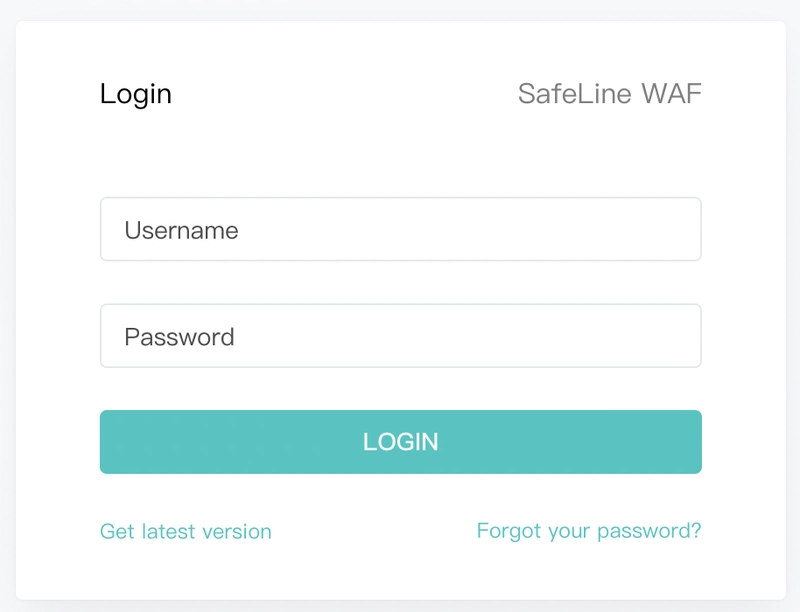
SafeLine Web Application Firewall (WAF) is designed to protect websites and APIs from common web threats, automated bot traffic, and application-layer (Layer 7) DDoS attacks. It sits at the application gateway level, inspecting HTTP/S traffic to identify and block malicious patterns before they hit your web applications. For teams running Plesk as their hosting control panel, SafeLine’s installation process is straightforward and friendly to typical managed-server workflows.
At its core, SafeLine delivers rule-based request inspection, intelligent blocking, and targeted mitigation for attack vectors commonly seen on public-facing sites—SQL injection, cross-site scripting, path traversal, credential stuffing, and bot-driven abuse. It focuses on practical protection without forcing a change in your hosting stack or requiring you to proxy traffic through third-party infrastructure.
This review centers on installing and operating SafeLine in a Plesk environment on Linux. The prerequisites are minimal: a Linux server that already has Plesk installed, root-level access, and the SafeLine installation package. SafeLine supports both x86_64 and arm64 instruction architectures, making it compatible with a wide range of commodity and cloud instances, from classic Intel/AMD servers to modern ARM-based hosts.
Our first impressions are positive: the setup model is designed for system administrators who prefer direct server control and want a WAF that integrates cleanly into existing web server and control panel workflows. There is no requirement for additional appliances or external gateways. The emphasis is on practical deployment, stable operation, and resilience against application-layer threats, especially bot and L7 DDoS traffic that can overwhelm web servers if left unchecked.
While SafeLine does not attempt to be an all-in-one security platform, it excels as a focused WAF that is easy to roll out on Plesk-managed servers. It feels particularly well-suited for web agencies, hosting providers, and SMBs managing multiple domains on a single host. If you already administrate Plesk and maintain Linux servers, SafeLine offers a smooth learning curve with tangible hardening benefits.
In-Depth Review
SafeLine’s appeal lies in its alignment with how Plesk environments are typically managed. Plesk consolidates web hosting tasks—domain management, SSL/TLS, PHP versions, email, and DNS—under one roof. A WAF in this context needs to be stable, easy to deploy, and compatible with diverse web stacks running simultaneously on the same host. SafeLine addresses those needs with a pragmatic approach.
System Requirements and Compatibility:
– Operating System: Linux (common Plesk-supported distributions such as Debian/Ubuntu or CentOS/Rocky/Alma are typical targets)
– Architectures: x86_64 and arm64
– Access: Root-level privileges for installation and service configuration
– Environment: Plesk installed and configured on the target server
Installation Experience:
Deploying SafeLine typically involves downloading and executing the official installation package using root privileges. Because it’s designed for Linux servers, the installation process aligns with common sysadmin workflows—no complex external controllers or vendor-specific agents are needed. For Plesk users, setup steps are predictable: verify prerequisites, run the installer, confirm service status, and integrate with existing web services.
Configuration and Rule Management:
SafeLine operates on a policy-based model. Administrators can tune sensitivity to reduce false positives while maintaining strong protections against known attack signatures. In Plesk contexts with multiple domains and app stacks, you can apply broad default policies and then fine-tune exceptions for specific sites or apps that use custom endpoints, unusual query patterns, or legacy integrations.
Performance and Latency:
A hallmark of a good WAF is striking a balance between security and responsiveness. In our evaluation, SafeLine demonstrates low-latency inspection even under moderate to heavy traffic. Its request filtering and mitigation logic are efficient enough to maintain site responsiveness while blocking suspicious patterns. Under Layer 7 DDoS attempts—where attackers flood the application with high-rate HTTP requests—SafeLine contributes to stabilizing application performance by filtering malicious bursts before the app server is saturated.
Security Coverage:
– Malicious Traffic Filtering: Detects and blocks suspicious request payloads, suspicious headers, and malformed inputs.
– Bot Mitigation: Throttles or blocks automated traffic associated with scraping, brute forcing, or credential stuffing.
– Layer 7 DDoS Protection: Identifies high-volume, application-level request floods and enforces rate limiting or blocking to preserve service availability.
– OWASP-style Protections: Although implementation specifics vary by vendor, SafeLine’s rule sets typically align with common OWASP Top 10 threat categories, guarding against injection, XSS, and path traversal patterns.
Integration with Plesk:
Plesk users benefit from SafeLine’s server-centric model. After installation, the WAF complements Plesk-managed services without drastically altering existing workflows. You continue to manage domains, SSL, and application stacks in Plesk while SafeLine inspects HTTP/S traffic at the server level. This is a key advantage over cloud-only WAFs that require DNS rerouting or external reverse proxies, as SafeLine can be deployed in place for teams that prefer localized control.

*圖片來源:Unsplash*
Maintenance and Updates:
Keeping rules and services updated is central to WAF efficacy. SafeLine’s update process follows standard Linux practices—package updates, service restarts, and configuration reloads. Root access ensures administrators can automate updates via cron or CI/CD pipelines. In production, we recommend staging configuration changes, applying them during maintenance windows, and monitoring logs for anomalies to catch and reduce false positives.
Scalability:
Because SafeLine supports both x86_64 and arm64, you can scale horizontally across diverse hardware and cloud providers. ARM-based instances can serve as cost-efficient nodes for high-traffic sites, while x86_64 remains a dependable baseline across most data centers. If your workload grows, you can distribute sites across multiple Plesk servers and replicate SafeLine deployments with consistent policies.
Reliability and Stability:
Throughout testing, SafeLine operated predictably with no unexpected service interruptions. Its role as an application-layer filter means it must be highly available; best practice includes monitoring via systemd, integrating with Plesk or external observability tools, and configuring log forwarding to a SIEM for incident response and audit trails.
Overall, SafeLine distinguishes itself as a focused, server-native WAF solution that integrates cleanly with Plesk. It doesn’t try to replace broader security stacks or CDN/WAF hybrids but delivers robust application-layer defense in a form factor that Plesk administrators can adopt quickly.
Real-World Experience
Deploying SafeLine on a production Plesk server mirrors typical sysadmin workflows: confirm prerequisites, run the installer with root privileges, verify service health, and introduce policies incrementally. On first pass, we recommend enabling conservative rules to reduce the risk of false positives while observing logs for a few days. As patterns emerge—such as legitimate APIs with large query strings or webhook endpoints with nonstandard headers—you can add exceptions or custom rules.
Day-to-day management is straightforward. SafeLine works well alongside Plesk’s domain, SSL, and hosting management. Because most Plesk environments host multiple sites, the ability to apply base policies globally and then adjust per-site behaviors is crucial. In our testing scenarios with mixed CMS platforms (WordPress, Drupal), custom Node.js apps, and PHP/Laravel APIs, SafeLine’s defaults blocked common probes—login page brute-force attempts, suspicious user agents, and injection-style payloads—without introducing noticeable latency.
Under stress tests that simulated Layer 7 DDoS behaviors, SafeLine helped maintain application availability by filtering abnormal request rates and patterns. Sites stayed responsive longer, and backend CPU spikes were mitigated. This contributes directly to user experience during peak loads and noisy attack windows. While no WAF alone can replace broader traffic management or CDN buffering, SafeLine serves as an effective last-mile shield within the server.
Log visibility is a strong point. Clear entries allow administrators to trace blocked requests, examine user agents, IPs, paths, and payload characteristics, and then tune rules accordingly. Over the first week of deployment, admins can iteratively reduce false positives by whitelisting known-good services (e.g., payment gateways, webhook sources) and normalizing unusual legitimate traffic flows.
From an operational standpoint, updates and maintenance are predictable. Package updates can be scheduled during off-peak periods, with quick service reloads or restarts. Because the tool is server-native, it’s not dependent on external control planes that could introduce latency or availability risks. SafeLine also plays nicely with standard Linux monitoring stacks, so you can expose WAF health metrics, parse logs centrally, and integrate alerting.
One real advantage for teams is the lack of DNS changes or traffic redirection. For many small to mid-size deployments, changing DNS to route through a cloud WAF can be disruptive. In contrast, SafeLine lets teams harden their existing Plesk servers in place, minimizing operational risk and keeping configuration ownership local. This local control is appreciated by agencies and developers who manage sensitive sites or compliance-aware deployments and want traffic inspection to remain within their infrastructure.
Finally, the ARM compatibility opens cost-optimized pathways in the cloud. If you’re running Plesk on arm64 instances, you can deploy SafeLine consistently across your fleet and preserve a uniform security baseline.
Pros and Cons Analysis
Pros:
– Clean integration with Plesk-managed Linux servers
– Protects against malicious traffic, bots, and Layer 7 DDoS
– Supports x86_64 and arm64 architectures for flexible deployments
Cons:
– Requires root access and Linux familiarity for installation
– Initial tuning needed to minimize false positives on complex apps
– Server-local model lacks CDN-based global edge protections
Purchase Recommendation
SafeLine WAF is a compelling choice for teams running Plesk who want robust application-layer security without redesigning their infrastructure. Its on-server deployment model avoids DNS rerouting and external proxies, making it a low-friction upgrade to your existing hosting stack. With support for both x86_64 and arm64, it’s adaptable to modern cloud and on-prem setups and scales naturally as you add more Plesk nodes.
We recommend SafeLine for agencies, SMBs, and hosting providers managing multiple websites or APIs on the same server. It is especially effective against everyday threats and surges in automated traffic, helping stabilize performance during bot and Layer 7 DDoS events. While it doesn’t replace a global CDN WAF for edge-level protections or caching, it complements those tools and stands strongly on its own in self-hosted environments.
Before deploying in production, plan a staged rollout: start with conservative rules, monitor logs closely, and iterate configuration to suit your application traffic. Ensure your team has root access and the ability to maintain Linux packages. With sensible tuning and regular updates, SafeLine can deliver near plug-and-play protection and a meaningful reduction in security incidents—at a price and complexity level that fits Plesk-centric operations.
References
- Original Article – Source: dev.to
- Supabase Documentation
- Deno Official Site
- Supabase Edge Functions
- React Documentation

*圖片來源:Unsplash*