TLDR
• Core Points: cURL is a free, open-source command-line tool and library for transferring data with multiple protocols; essential for API testing, debugging, and automation.
• Main Content: Covers basics, advanced usage, options, and testing workflows; practical examples and tips for robust data transfers.
• Key Insights: Understanding curl syntax, common flags, and how to compose requests boosts debugging and automation efficiency.
• Considerations: Security practices, rate limits, and proper handling of sensitive data when scripting.
• Recommended Actions: Learn core commands, build repeatable request templates, and integrate curl into testing and CI pipelines.
Content Overview
cURL (Client URL) is a free, open-source command-line tool and library designed to transfer data across a wide range of network protocols. Since its inception, curl has become a staple in developers’ toolkits due to its versatility, portability, and scriptability. Whether you are testing APIs, debugging network issues, or automating data transfers, curl provides a straightforward yet powerful interface to interact with remote servers.
At its core, curl supports numerous protocols including HTTP, HTTPS, FTP, FTPS, SCP, SFTP, LDAP, and more. The tool is not only a standalone command-line utility but also a library (libcurl) that developers can integrate into their applications, enabling programmatic data transfers with extensive options. This dual nature makes curl valuable for both quick, ad-hoc tasks and complex, automated workflows in production environments.
This guide aims to equip you with a solid understanding of curl, from basic usage to advanced features. We will walk through practical examples, discuss common flags, and outline testing workflows that leverage curl to validate APIs and services. By the end, you should be comfortable composing curl commands for a variety of scenarios, handling responses, and integrating curl into broader testing and automation efforts.
In-Depth Analysis
Getting started with curl is straightforward. The most common invocation is simple HTTP requests, such as retrieving a web resource or submitting data to an API endpoint. A typical curl command might look like this:
curl https://api.example.com/users
This basic form fetches the content from the specified URL using the default request method (GET). However, curl is capable of much more, including modifying the request method, sending data, adding headers, handling cookies, and streaming data. The following sections cover essential concepts and frequently used options that form the backbone of most curl-based workflows.
Request Methods and Data
– GET requests: The default method; used to retrieve data.
– POST requests: Used to submit data to a server. Data can be supplied with the -d or –data flag.
– PUT, PATCH, DELETE: Supported through options that specify the request method. For example, -X PUT to set the method to PUT.
– Data payloads: When sending JSON or form data, you typically include content-type headers. For example:
curl -X POST https://api.example.com/items -H “Content-Type: application/json” -d ‘{“name”:”widget”,”price”:9.99}’
Headers and Content-Type
Headers provide metadata about the request or response. curl supports adding headers with -H or –header:
– Authentication: Include tokens or API keys in headers, e.g., -H “Authorization: Bearer
– Content negotiation: Accept headers to specify response formats, e.g., -H “Accept: application/json”
Handling Responses
– Output control: By default, curl writes response data to stdout. Redirecting or saving to a file can be done with -o or -O.
– Silent mode and progress: Use -s or –silent to suppress progress meters; -S shows errors. The flag –progress-bar provides a visual progress indicator.
– Exit codes: curl returns non-zero exit codes on errors, which makes it helpful for scripting and CI pipelines.
Authentication and Security
– Basic authentication: curl -u username:password https://example.com can be used, though it is less secure for automation unless used with secure storage and TLS.
– Bearer tokens and API keys: Prefer passing credentials in headers, not in URLs. Avoid exposing sensitive data in command history.
– TLS and certificates: curl supports options to verify SSL certificates (-sS –fail –cacert) and to relax validation (not recommended for production).
Data Transfer and Streaming
– Uploads: -T or –upload-file allows sending local files to a remote server.
– Streaming and chunked transfers: You can pipe data in real-time, or use options like –range for partial downloads.
– FTP/SFTP: curl can perform file transfers using FTP/FTPS or SSH-based protocols, with authentication handled similarly to HTTP.
Cookies and Sessions
– Cookies: curl can read and write cookies using -c to store cookies in a file and -b to send cookies from a file.
– Session management: Maintaining session state across multiple requests can be essential for testing authenticated flows.
Advanced Usage and Scripting
– Data formats: When interacting with APIs, you’ll often transmit JSON. Use -H “Content-Type: application/json” and proper escaping of quotes in your shell.
– Reusable templates: Build command templates or shell functions to standardize requests across tests.
– Error handling: Combine curl with tools like jq to parse JSON responses, enabling robust validation in scripts.

*圖片來源:Unsplash*
API Testing Workflows
Curl is frequently employed in API testing to validate endpoints, workflows, and error handling. Typical testing patterns include:
– Endpoint validation: Send requests to endpoints and verify status codes (e.g., 200, 201, 404) and response structures.
– Negative testing: Ensure proper handling of invalid inputs (400, 422) or unauthorized access (401, 403).
– Performance and stability checks: Execute repeated requests and monitor response times and error rates.
– Automated pipelines: Integrate curl commands into CI/CD pipelines to perform pre-deployment checks and health checks post-deployment.
– Chaining requests: Use scripts to perform sequences (e.g., create a resource, verify its properties, then delete it) to test end-to-end flows.
Error Handling and Debugging
– Verbose output: -v or –verbose shows request and response headers, which is helpful for debugging.
– Silent troubleshooting: -sS can suppress progress while still displaying errors, keeping logs readable.
– Debugging TLS issues: Use –insecure for testing with self-signed certificates (not suitable for production) and inspect verbose TLS handshake information to diagnose certificate problems.
Practical Examples
1) Simple GET request:
curl https://api.example.com/status
2) POST with JSON payload:
curl -X POST https://api.example.com/items \
-H “Content-Type: application/json” \
-d ‘{“name”:”widget”,”price”:9.99}’
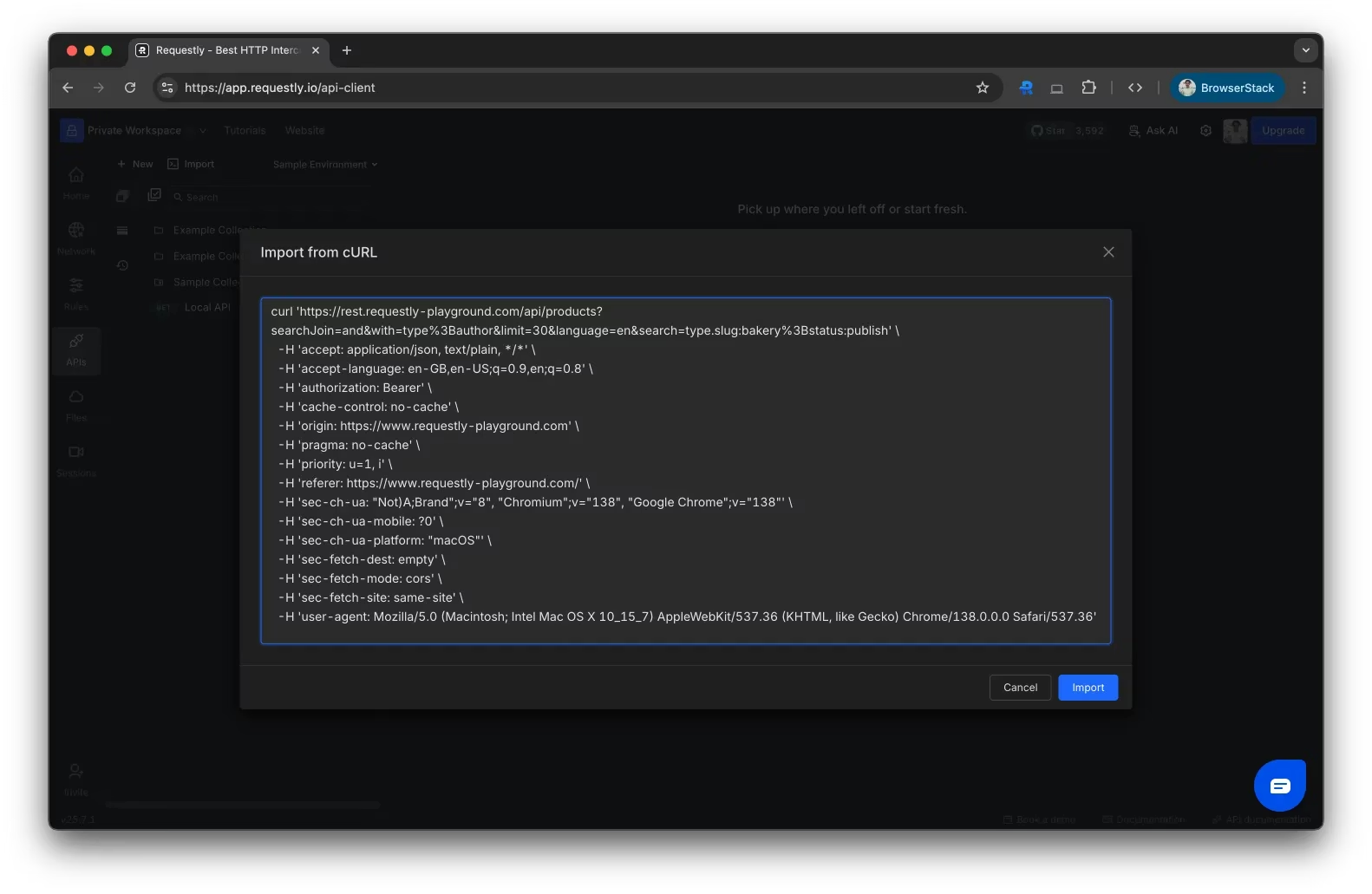
3) GET with headers and query parameters:
curl -G https://api.example.com/items \
-d ‘limit=10’ -d ‘offset=0’ \
-H “Authorization: Bearer
4) Save response to a file:
curl -o response.json https://api.example.com/items
5) Include cookies from a file:
curl -b cookies.txt -c cookies.txt https://api.example.com/profile
6) Upload a file via POST:
curl -X POST https://api.example.com/upload \
-F “file=@/path/to/report.pdf” \
-F “description=Quarterly report”
7) Debug with verbose output:
curl -v https://api.example.com/status
8) Handle responses with JSON parsing (using jq):
curl -s https://api.example.com/users \
-H “Accept: application/json” | jq ‘.users[] | {id, name, email}’
Best Practices and Considerations
– Idempotence: Treat curl-based tests as idempotent where possible, especially when creating or deleting resources during automated tests.
– Security: Protect credentials and tokens. Use environment variables or secret management tools to inject sensitive data at runtime, rather than hard-coding them in scripts.
– Reproducibility: Capture curl command examples with exact headers, payloads, and endpoints to ensure reproducibility across environments.
– Rate limiting and politeness: Respect server constraints by pacing requests and avoiding aggressive retries.
– Validation: Combine curl with assertion logic (e.g., exit codes, response codes, and content structure) to determine pass/fail in tests.
Key Takeaways
Main Points:
– curl is a versatile, open-source tool for transferring data over numerous protocols.
– It supports a wide range of request methods, headers, data formats, and authentication schemes.
– curl is valuable for API testing, automation, and debugging, both in ad-hoc use and integrated pipelines.
Areas of Concern:
– Security risks from exposing credentials in command history or logs.
– TLS configuration and certificate trust when dealing with production systems.
– Proper handling of large payloads or streaming data to avoid resource exhaustion.
Summary and Recommendations
cURL remains a foundational tool for developers working with networks, APIs, and data transfer. Mastery of curl involves understanding its core syntax, a broad set of options, and best practices for testing and automation. Start with essential commands for basic GET and POST requests, gradually incorporating headers, authentication, and data payloads. As you gain proficiency, build reusable command templates and integrate curl into CI pipelines to automate API validation and monitoring. Always prioritize security by safeguarding credentials, validating responses, and handling sensitive data with care. With these practices, curl can significantly streamline development workflows, improve debugging efficiency, and enhance the reliability of API interactions.
References
– Original: https://dev.to/kanishkrawattt/what-is-curl-complete-guide-to-curl-commands-options-038-api-testing-2dj2 (source material)
– Additional references:
– curl official documentation: https://curl.se/docs/
– libcurl API reference: https://curl.se/libcurl/
– HTTP API testing best practices: https://docs.github.com/en/rest/overview/resources-in-the-rest-api

*圖片來源:Unsplash*